Just today, I opened VS Code to see that PIO Home shows up as pioarduino. I have never even installed it. I have searched everywhere but have not found a solution. My OS is Windows 11.
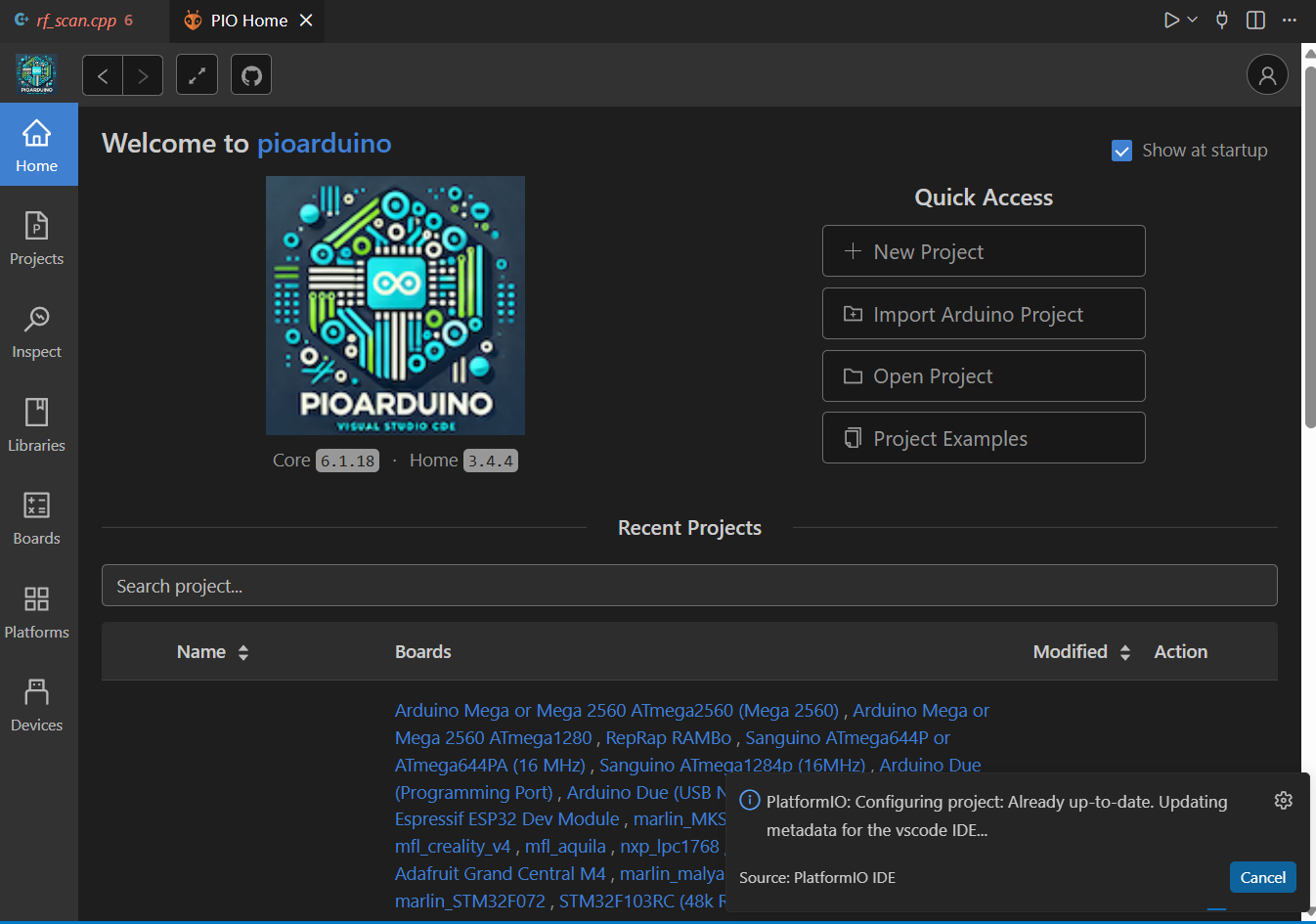
It may have been sufficient to have compiled a project that uses PIOArduino? Not sure.
You can always nuke your PlatformIO core installation and extension by just
- Removing the PIOArduino / PlatformIO extension in VSCode
- Closing VSCode
- Deleting
<home directory>/.platformio - Restarting VSCode
- Reinstalling the PlatformIO extension
- Waiting for the core to be reinstalled automatically.
Thank you so much, it worked!
Yes, that is exactly what happens.
I compiled projects which are using pioarduino many times and the problem described in the first post happened a few days ago when I left VS Code opened for a long time - when I arrived back to the computer there was a message “Restart to update” and exactly the same happened to me.
Here I described everything in details the very same day when that happened.
I’ve been using PlatformIO since 2019. and have never installed pioarduino extension.
I’ve been using PlatformIO since 2019
We sincerely apologize for the confusion and frustration this has caused. You are definitely not alone in running into these issues recently.
We are actively working with @jason2866 (the author of these forks) to address and resolve these conflicts. To be completely transparent, we were not aware of the duplicate PlatformIO extensions appearing in VS Code-based marketplaces (not saying PIO Home). We are investigating this immediately to prevent further developer confusion.
Regarding the automatic rewriting of “platformio” to “pioarduino” - we are digging into this as a priority. Because the PlatformIO ecosystem is entirely open-source, pinpointing exactly where this hijacking behavior is triggered takes a bit of tracing, but we will fix it.
Over the last 12 years, we have poured our hearts into building a seamless, unified developer experience. Seeing fragmentation like this disrupt your workflow is incredibly disappointing to us, too. Our goal remains to protect the integrity of the ecosystem you’ve relied on since 2019.
Thank you for bringing this to our attention, and thank you for your years of support. We will keep the community updated as we deploy fixes.
Hello,
pioarduino extension is not altering any file from the Platformio VSC extension. The pioarduino extension needs to be manually installed by the user. The source code is here GitHub - pioarduino/pioarduino-vscode-ide: pioarduino IDE for VSCode · GitHub possible to review the source code that no changes are made to the installed Platformio extension on the computer.
Greetings Jason2866
Here is an explanation of the current situation.
I am using VS Code 1.120.0 on Ubuntu 24.04.4 LTS.
After deleting the home/(username)/.platformio directory, I installed PlatformIO via the VS Code extensions.
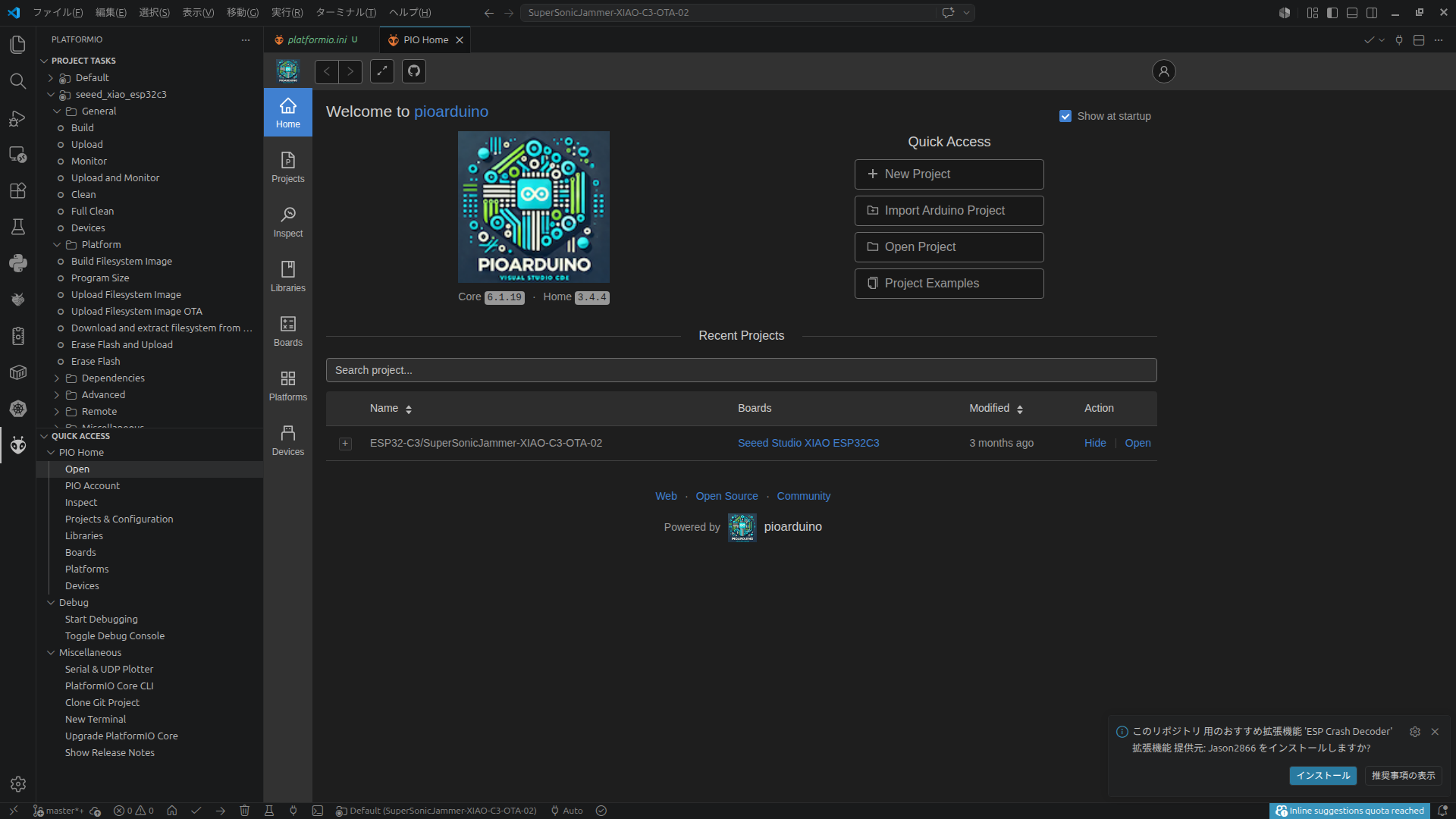
At that point, the “PIO Home/Open” screen in the PlatformIO extension displayed the “ant face” icon.
However, after opening a folder containing a project where platformio.ini specified platform = https://github.com/pioarduino/platform-espressif32/releases/download/stable/platform-espressif32.zip, the PlatformIO “PIO Home/Open” screen switched to the pioarduino page (please see the screenshot).
Is this expected behavior?
The icon also links to pioarduino.
Although it is referencing pioarduino, I have not installed the pioarduino extension itself.
There are no functional issues at the moment, but I am a little concerned about this.
I’ve just tried bootstrapping a new project with that fork. Indeed, the official PlatformIO packages were replaced with unofficial ones, and PIO Home now contains injections designed to boost pioarduino’s popularity. Copying someone else’s success rarely works out. What is more, @jason2866 has never contributed to PIO Home or our IDE, so we don’t understand the motivation behind these aggressive actions. We reached out to @jason2866 (the owner of pioarduino) regarding these issues, but we have received no response.
At PlatformIO, we never expected anyone to use a dev-platform to compromise PlatformIO Core and its dependencies. Because of that trust, we provided a rich API for the “PlatformIO Development Platform”, including full code execution and disk manipulation access. While official packages must pass our Malware & Vulnerability Isolation Environment before being published to the PlatformIO Registry, unofficial packages can execute whatever code they want - even deleting personal files. This highlights the severe risks of using unofficial packages in any software ecosystem, not just PlatformIO.
We are currently working on PlatformIO Core 7.0 and will address this security vulnerability directly. In the meantime, please exercise extreme caution with that fork or inspect its source code every time it updates. Typically, when someone leeches off open-source software to artificially build a user base, the next step is monetizing or exploiting those users - which can easily lead to hidden malicious injections.
As I reported in the message above, the problem happens without installing pioarduino extension.
The problem happens by only using the platform from the pioarduino repository via Platformio extension.
There is at least one confirmed issue when using pioarduino’s platform via Platformio extension that I described here. It can be solved by using command line instead of New Project Wizard but it was very annoying when happened because it was unexpected.
And the issue I described here might be caused by using pioarduino platform via Platformio extension too.