Thanks for hanging in there! 
I dunno what more to try… I started de-constructing the PlatformIO and Arduino IDE compile and linker commands, and whilst there were some minor variations, that didn’t seem to be altering anything… but there some parts I don’t know how to compare/pull apart.
If you don’t mind humouring me on one final possible point of difference, can you compare the file generated by this command (gets placed in the sketch folder)
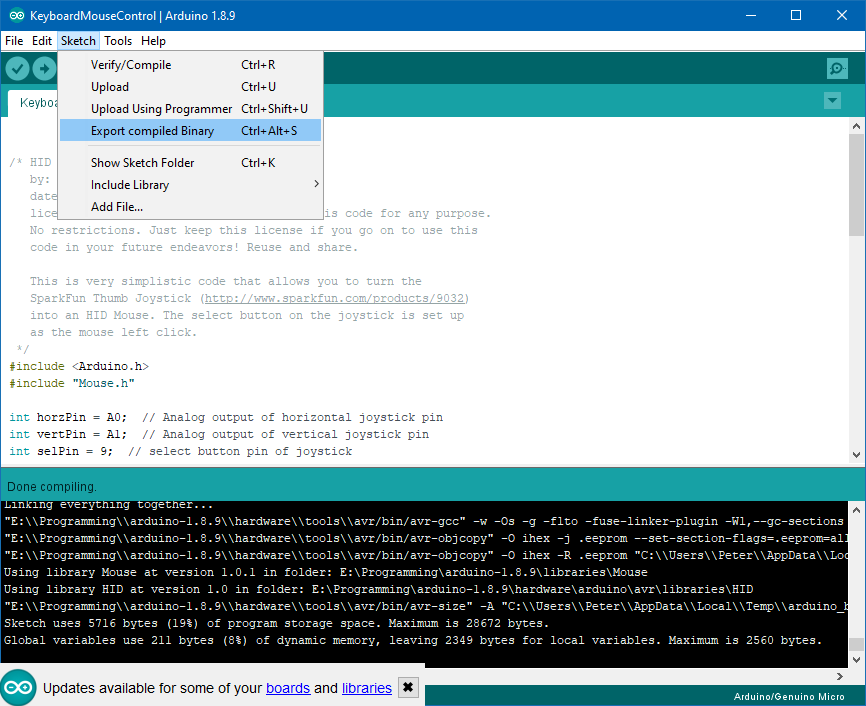
with this one (fc /b for a binary comparison or some other tool)
This was the code I compiled - the same as above, with the RXLED1/TXLED1 macros commented out.
/* HID Joystick Mouse Example
   by: Jim Lindblom
   date: 1/12/2012
   license: MIT License - Feel free to use this code for any purpose.
   No restrictions. Just keep this license if you go on to use this
   code in your future endeavors! Reuse and share.

   This is very simplistic code that allows you to turn the
   SparkFun Thumb Joystick (http://www.sparkfun.com/products/9032)
   into an HID Mouse. The select button on the joystick is set up
   as the mouse left click.
 */
#include <Arduino.h>
#include "Mouse.h"

int horzPin = A0;  // Analog output of horizontal joystick pin
int vertPin = A1;  // Analog output of vertical joystick pin
int selPin = 9;  // select button pin of joystick

int vertZero, horzZero;  // Stores the initial value of each axis, usually around 512
int vertValue, horzValue;  // Stores current analog output of each axis
const int sensitivity = 200;  // Higher sensitivity value = slower mouse, should be <= about 500
int mouseClickFlag = 0;

void setup()
{
  //Serial.begin(9600);
  pinMode(horzPin, INPUT);  // Set both analog pins as inputs
  pinMode(vertPin, INPUT);
  pinMode(selPin, INPUT);  // set button select pin as input
  digitalWrite(selPin, HIGH);  // Pull button select pin high
  delay(1000);  // short delay to let outputs settle
  vertZero = analogRead(vertPin);  // get the initial values
  horzZero = analogRead(horzPin);  // Joystick should be in neutral position when reading these
}

void loop()
{
  vertValue = analogRead(vertPin) - vertZero;  // read vertical offset
  horzValue = analogRead(horzPin) - horzZero;  // read horizontal offset

  if (vertValue != 0)
    Mouse.move(0, vertValue/sensitivity, 0);  // move mouse on y axis
  if (horzValue != 0)
    Mouse.move((horzValue/sensitivity) *-1, 0, 0);  // move mouse on x axis

  if ((digitalRead(selPin) == 0) && (!mouseClickFlag))  // if the joystick button is pressed
  {
    mouseClickFlag = 1;
    Mouse.press(MOUSE_LEFT);  // click the left button down
  }
  else if ((digitalRead(selPin))&&(mouseClickFlag)) // if the joystick button is not pressed
  {
    mouseClickFlag = 0;
    Mouse.release(MOUSE_LEFT);  // release the left button
  }

  // RXLED1;
  // TXLED1;
}
@ivankravets Is there anything more we can do to try and get to the bottom of this? Judging from the binary file compare in my post above, there is only a very difference between the PlatformIO compile output and the Arduino IDE… it’s just trying to pin down what is causing it.