Hi,im having an issue creating a project for my stm32 h745zi-q .I make a new project and get tons of errors such as thes in the images below.Any suggestions?
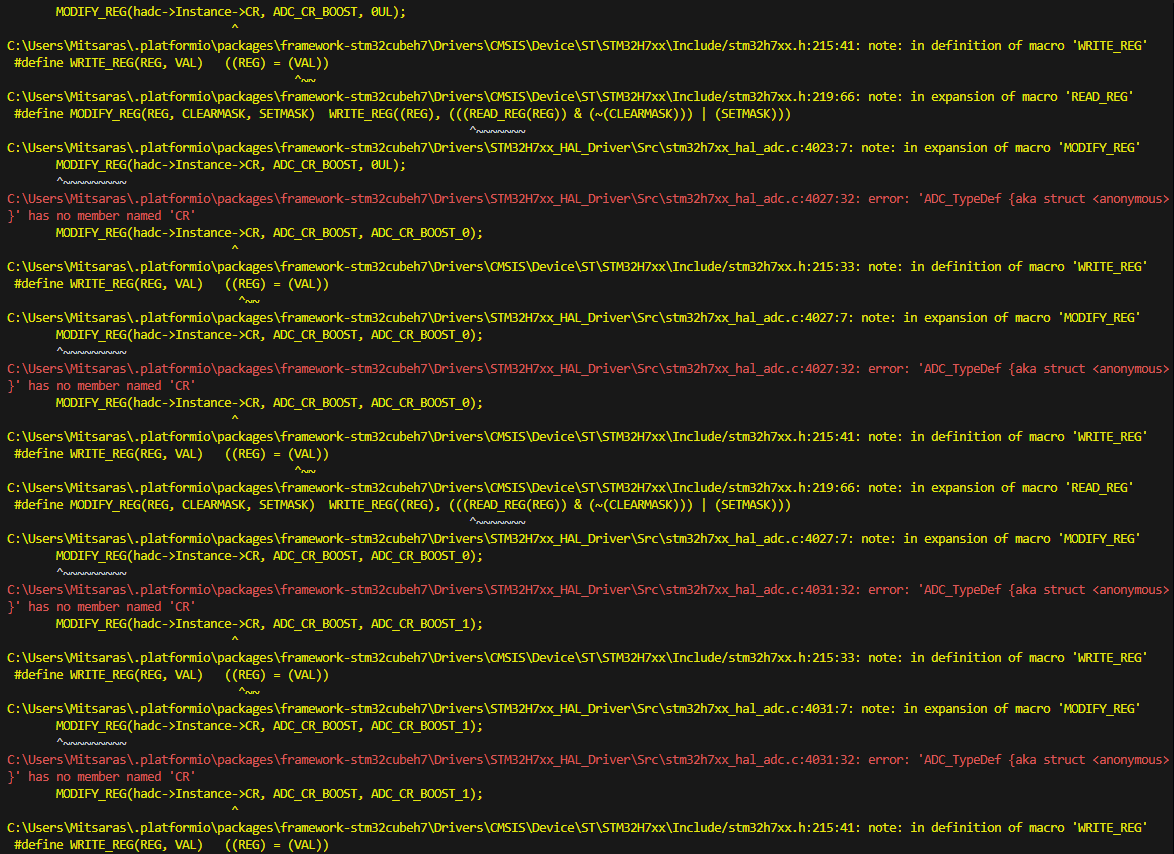
What’s your platformio.ini and src/main.c?
platformio.ini
[env:nucleo_h745zi_q]
platform = ststm32
board = nucleo_h745zi_q
framework = stm32cube
main.c
#include "stm32h7xx_hal.h"

int main(void)
{
    HAL_Init();
    while (1)
    {
    }
}
Idk why i get that issue
The first error line literally says
                 from C:\Users\Max\.platformio\packages\framework-stm32cubeh7\Drivers\STM32H7xx_HAL_Driver\Inc/stm32h7xx_hal_def.h:29,
                 from C:\Users\Max\.platformio\packages\framework-stm32cubeh7\Drivers\STM32H7xx_HAL_Driver\Inc/stm32h7xx_hal_rcc.h:27,
                 from C:\Users\Max\.platformio\packages\framework-stm32cubeh7\Drivers\STM32H7xx_HAL_Driver\Inc/stm32h7xx_hal_conf.h:251,
                 from C:\Users\Max\.platformio\packages\framework-stm32cubeh7\Drivers\STM32H7xx_HAL_Driver\Inc/stm32h7xx_hal.h:29,
                 from C:\Users\Max\.platformio\packages\framework-stm32cubeh7\Drivers\STM32H7xx_HAL_Driver\Src\stm32h7xx_hal.c:36:
C:\Users\Max\.platformio\packages\framework-stm32cubeh7\Drivers\CMSIS\Device\ST\STM32H7xx\Include/stm32h745xx.h:242:2: error: #error Please #define CORE_CM4 or CORE_CM7
 #error Please #define CORE_CM4 or CORE_CM7
  ^~~~~
SInce the H745 chip has both a Cortex-M4 and a Cortex-M7, you have to select which core you want to compile the firmware for. It cannot be left undefined.
The main core is the Cortex-M7, so with a platformio.ini of
[env:nucleo_h745zi_q]
platform = ststm32
board = nucleo_h745zi_q
framework = stm32cube
build_flags = -DCORE_CM7
your code compiles fine.
thanks a lot ,i couldnt see that error.
another question i have is how to use that microcontroller with the arduino framework if possible its not a big issue if it cannot
While there is no explict “Nucelo H745ZI” Arduino board variant (open issue per this), there is a generic variants/STM32H7xx/H745Z(G-I)T_H755ZIT variant, which the H745ZI falls under.
We do have to create a new board definition for it though in which Arduino support is defined (build flags, variant name, frameworks array) and also setup build flags and code for the project to have the correct clock source, correct default Serial pins etc. and supply the missing linker script from STM32CubeMX.
You can try out
1 Like
FYI I’ve just updated the code in the repo so that the power supply mechanism matches the SMPS default of the Nucleo board instead of LDO. Also initialized more peripheral clocks.
If the board isn’t starting up, just delete src/clock.cpp so that it uses all default clocks.
1 Like
Oooh thanks so much!
I also have in my possession a nucleo h755 which i found on github the board file buy i also want to use it with arduino framework. What kind of modifications i would have to do to work it?
If you have the time to explain to me cause im rather newbie with the stm nucleo stuff
Thanks a lot
Not sure about the H755, we did not get it working with even STM32Cube in PlatformIO on CLion for STM32Cube - #22 by maxgerhardt. Might have to do more debugging on that. In theory, the H755 Arduino definition is right in the same folder, it just needs a few different defines / -D flags to indicate the different chip.
1 Like
I see, so to work with the H755 i guess i would have to use the stm software?
Unless there is a workaround?
As far as i searched the H745 and the H755 are very similar. When you say the arduino is i the same folder what do you mean?
Also is there a list with the flags available?
I added the H755 to the repository, too, so you can switch environments via the project environment switcher. Again both untested on real hardware.
nope it didnt upload at all to the stm32
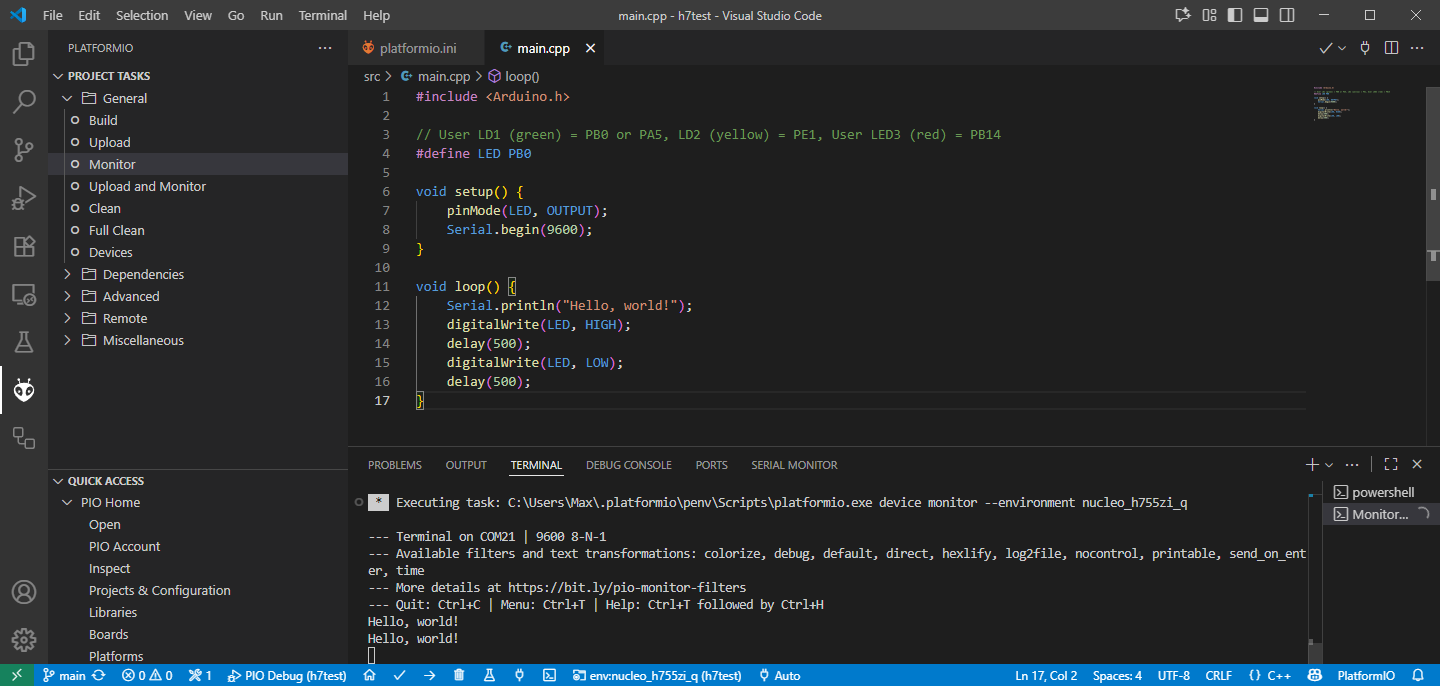
I’ve pushed an update to the repository with code that works on Windows and my Nucleo-H755ZI-Q board.
The upload and reset didn’t work correctly if the Cortex-M4 failed to boot up. So I wrote a dummy startup file that just makes the Cortex-M4 loop in the same place.
Additionally some clocks were not turned on properly.
The OpenOCD version supplied by PlatformIO then seems to be able to upload the program, but debugging fails. I added the latest Windows of OpenOCD that fixes that.
So now it runs the Arduino firmware nicely.
1 Like
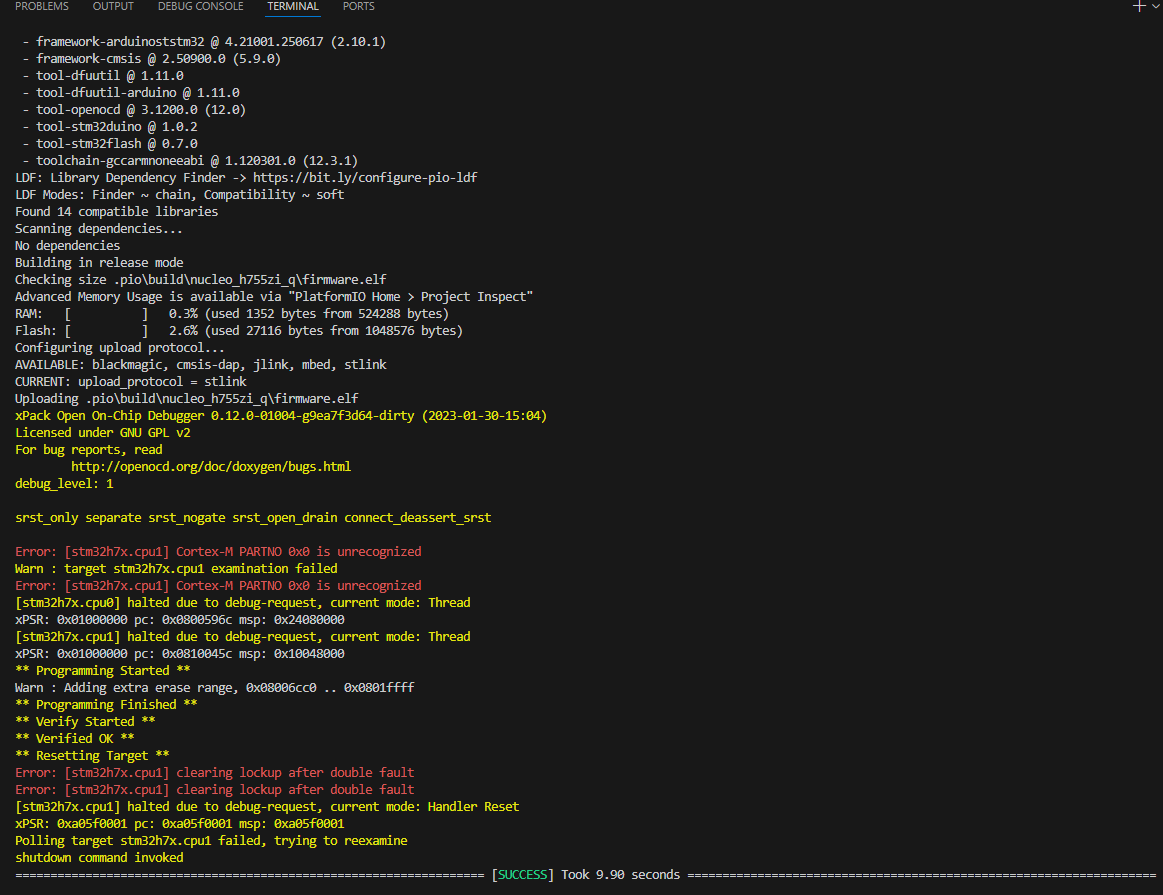
ok update,i managed to upload to mine! Andd i made a blink led project aswell on pin PB1 and it works so far.Will this be compatible with all arduino libraries? l
Sure, all libraries targeting the general Arduino API and those Arduino libraries specifically written for the STM32Duino core should work all fine (core builtins and others like STM32FreeRTOS etc.). Just like it works in the Arduino IDE.
Edit: I just ran an STM32FreeRTOS test sketch on it and it executed fine. And that’s a complex real-time operating system.
1 Like