I am using platformio with VS. I am having an issue when platformIO loads in VS it over takes my VS editor settings to keep lines of code from dimming for whatever reason somebody wouldn’t want to see their code for, doesn’t matter I find it incredibly unuseful. I’m using a darkmode with high contrast because it’s easier on the eyes after staring at it for hours, but with the dimming/fading of lines for hierarchy or whatever I can barely see the lines even when the line is in focus while editing the line. I deactivated this nuisance in VS, but can’t figure out how to stop it when using platformio. I searched online for answers and tried AI for answer but had no luck. The only solution I have right now is to edit without platformio and add it in when I’m ready to compile, but that is obviously a nuisance itself , but at least I can see what I am working on.
Please provide a clear reference PlatformIO project where that happens, your list of VSCode extension and VSCode version, and screenshots of the PlatformIO vs non-PlatformIO code highlighting.
I am currently trying to use it to edit and compile a marlin firmware for my 3d printer.
VS:
Version: 1.117.0 (user setup)
Commit: 10c8e557c8b9f9ed0a87f61f1c9a44bde731c409
Date: 2026-04-21T16:12:14-07:00
Electron: 39.8.7
ElectronBuildId: 13841579
Chromium: 142.0.7444.265
Node.js: 22.22.1
V8: 14.2.231.22-electron.0
OS: Windows_NT x64 10.0.19045
Marlin:
version: 2.1.x bugfix
I don’t know where to find the version information for platformio, but is should be the latest release for VScode, no update is being offered.
My settings.json for vs is this excluding the clangd.path:
{
"workbench.colorTheme": "Default High Contrast",

"files.autoSave": "afterDelay",

"files.autoSaveDelay": 60000,

"files.watcherExclude": {

    "\*\*/.ino/\*\*": true,

    "\*\*/.venv/\*\*": true

},

"clangd.detectExtensionConflicts": false,

"clangd.path": "c:\\\\Users\\\\Tom\\\\AppData\\\\Roaming\\\\Code\\\\User\\\\globalStorage\\\\llvm-vs-code-extensions.vscode-clangd\\\\install\\\\22.1.0\\\\clangd_22.1.0\\\\bin\\\\clangd.exe",

"accessibility.dimUnfocused.opacity": 0.7,

"C_Cpp.dimInactiveRegions": false,

"editor.wordWrap": "on",

"workbench.secondarySideBar.defaultVisibility": "hidden"

"editor.inlineHints": {

"fontStyle": "normal"

},

"editor.inactiveHintsForeground": "#ffffff"

"C_Cpp.dimInactiveRegions": false,

"C_Cpp.inactiveRegionOpacity": 1,

"editor.semanticHighlighting.enabled": false
}
It’s is a little darker on the screen then the screen shot turned out, making it harder to read.
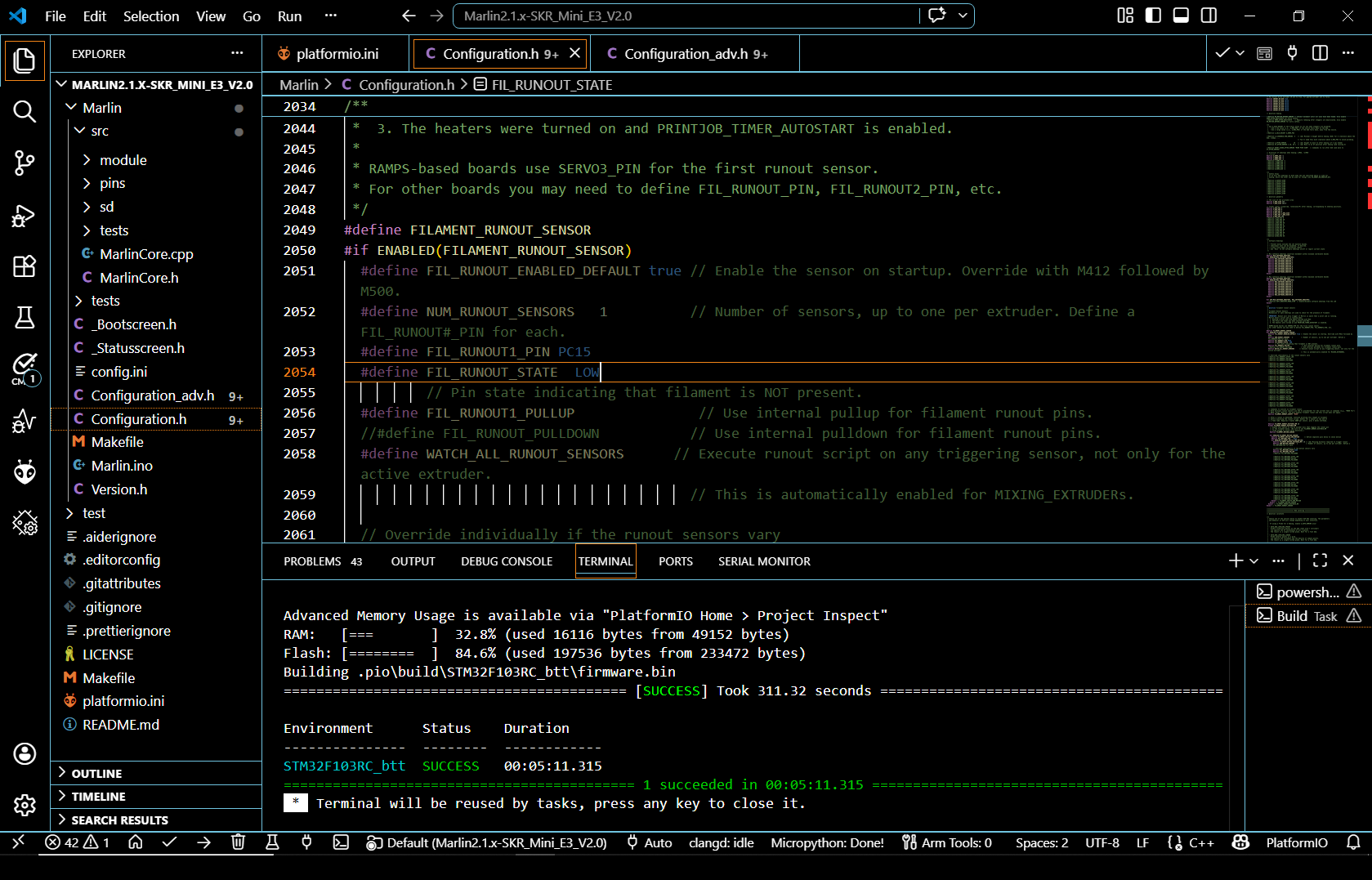
I fixed it, I disabled platformio in the extensions then reenable it. This forced the meta something to rebuild and afterwards I can see everything.
PlatformIO intellisense is based on the “C/C++” extension by Microsoft, not clangd. I would not try to override it. At best you can have PlatformIO generate the compile_commands.json that you can feed into clangd per documentation.