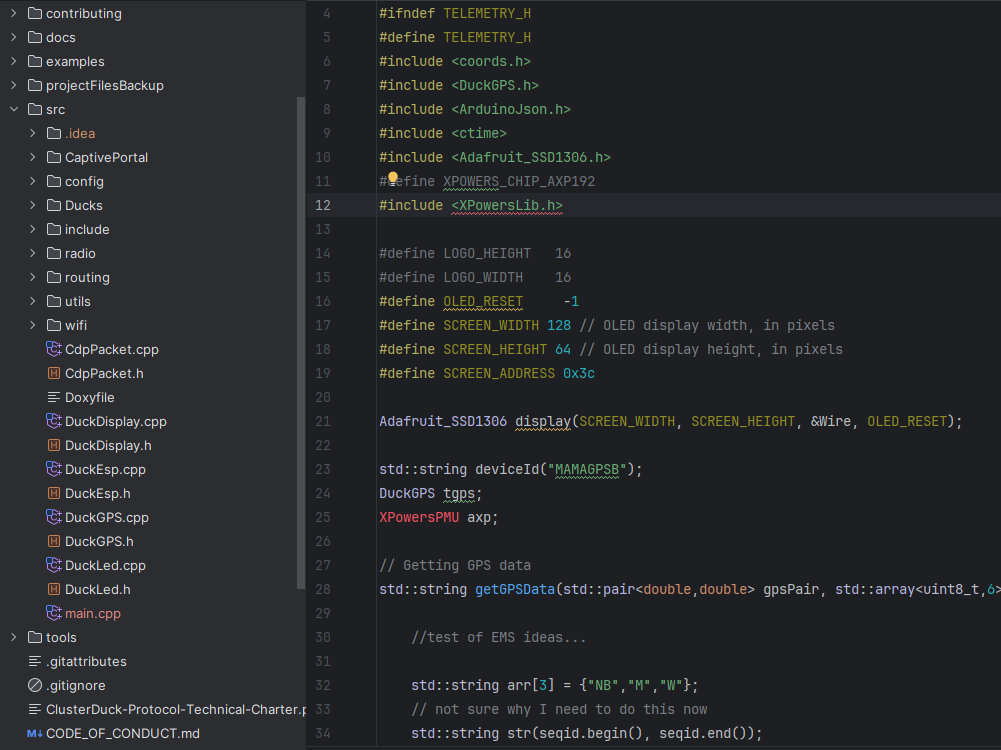
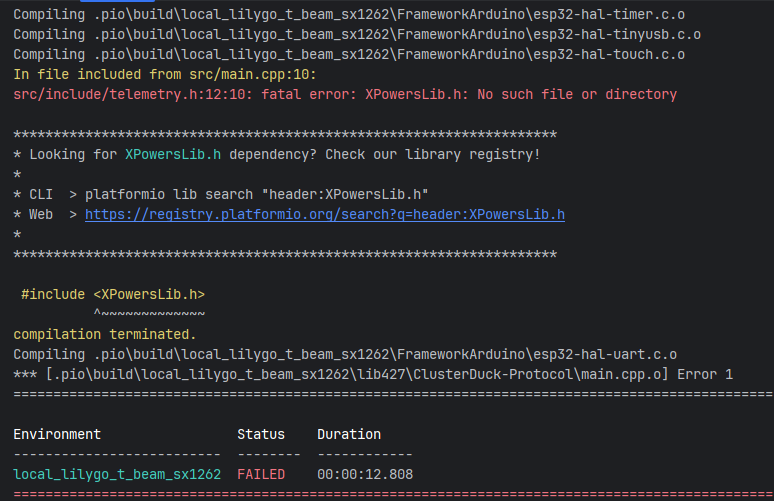
I have a project that compiles and flashes for another dev but i’m unable to do the same when a certain lib is included. Even though it is in the platformio.ini build file and is properly downloaded as a dependency, the build fails thinking it can’t find the header file that is clearly included. The relevant portion is in the screenshot.
The interesting thing is that it has at various times failed to pick up other included libraries, but they are being found now for some reason. I’m not sure what the root of the problem is, but this is the platformio.ini entry:
The environment variables are correct and get all the other libs and build flags. The only thing that seems out of place is that a static lib was not generated in the .pio directory like all the other libs. But I have no idea why, or why this library specifically was not built. What might be causing this problem and how to remedy it?
CLion’s syntax highlighting agrees that the header file is present today, so the class now shows in the proper colors. Platformio is also now building XPowersLib into a static lib, but I’m still getting this error.
Try the link now, that should still be everything needed. Just do a pio run -e local_lilygo_t_beam_sx1262 at the same level as the platformio.ini. The main.cpp in src is the example.
The project is a library; I contribute to the library and maintain a personal main.cpp file outside of git to test the library. Why would the file path’s length be an issue? Platformio doesn’t even run in WSL for me after installation.
I highly recommend to change the project structure and pull out the project from the library.
See here for a proper file and project / library structure for local library development.
Windows command lines are limited to 64Kb.
When the filepath is too long you may hit this limit during compiling the project. Run a verbose build (-v) and see how long the command lines are.
I made a video about how to install WSL and setup PlatformIO. The video was not meant to be public so there is no explanation or voice over. But maybe you can use it to setup PIO in a WSL. (If you ever used PIO in WSL you won’t go back to pure windows.. it’s incredible fast!)
Honestly, this didn’t start happening until a couple of days ago, and this project is over 5 years old. Project structure can be anything so long as the build system is aware of all directories through the build files. This has nothing to do with project structure.
This is more likely to be the issue. I don’t think any of these commands came anywhere near 64KB judging by the output, but I’ll try get PIO running in WSL. However, that video just shows using PlatformioIDE’s user interface, not anything really pertaining to setting up platformio in WSL properly. I’m also using CLion, so it wouldn’t apply anyway.
I don’t think it has anything to do with the command size. Depending on the build file used, it fails on different libraries even when they are clearly included in the build file. Currently, I’ve found that lib_ldf_mode = chain+ resolves the issue for one of the build files. The other is still a mystery.
The command line length thing can really sneak up on you and the insane way that PlatformIO $PATHs the build tree will sneak up on you and mug you. I just grabbed a single g++ invocation from a single source file in a “simple” ESP32/Arduino project of mine and it’s 46K. Now I’m on an OS that doesn’t have 8086-era limits baked into it, so this isn’t a problem for me, but I’m also not having the problem. By the the time builds 227 -I directives (yes, really) with absolute pathnames in them, they can sneak up on you.
Pity the OS dentry cache potentially scanning 226 entries for every transitive include.
It may not be the issue, but when you get advice from a knowledgable expert, try to not sound so dismissive. The age of the project is immaterial. ‘typical issue of a too long file path on Windows’ seems accurate.