I suspect you have a general problem with PlatformIO.
Please do the following: Open a PlatformIO CLI and execute the two commands
pio upgrade --dev
pio platform update
pio platform install ststm32@~6.1
then restart VSCode.
Then, in the PIO home, on the left side go to “New Project”, write “STM32Test” as name and select the STM32F103RC as the board.
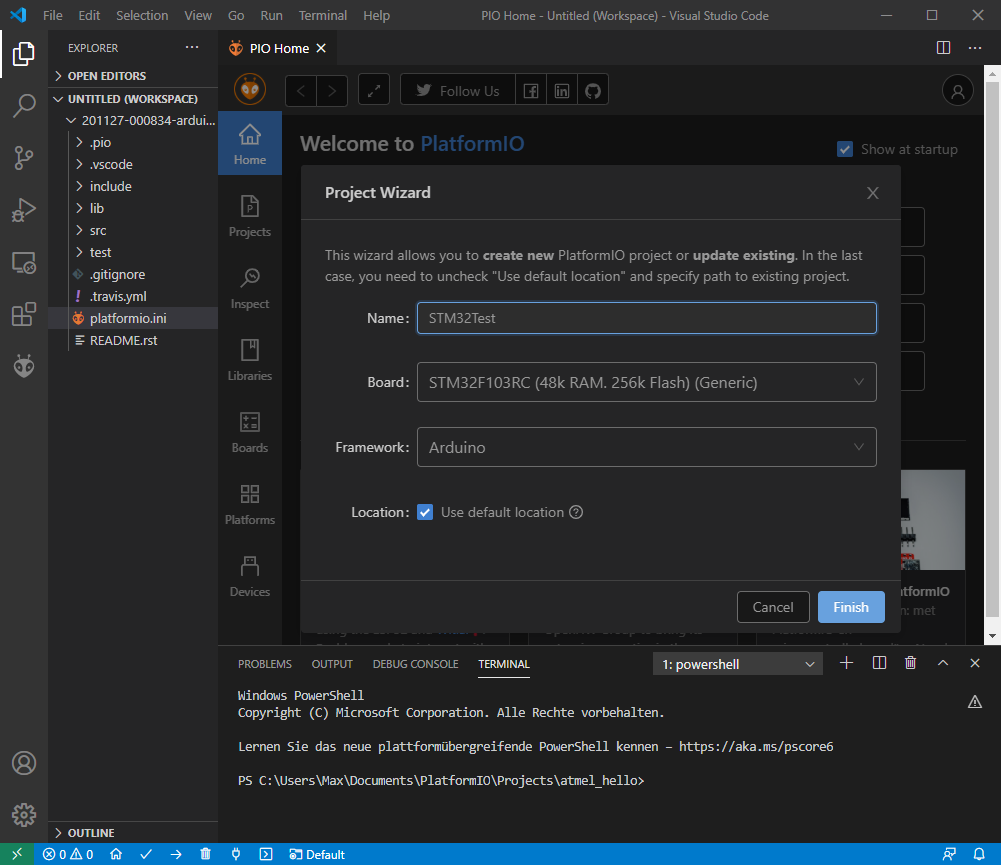
Then click finish. After the project has loaded up, open the platformio.ini and modify it to
[env:genericSTM32F103RC]
platform = ststm32@~6.1
board = genericSTM32F103RC
framework = arduino
The src/main.cpp should already contain the content
#include <Arduino.h>

void setup() {
  // put your setup code here, to run once:
}

void loop() {
  // put your main code here, to run repeatedly:
}
(double check that.).
Then go to the project tasks and start the default Build action.
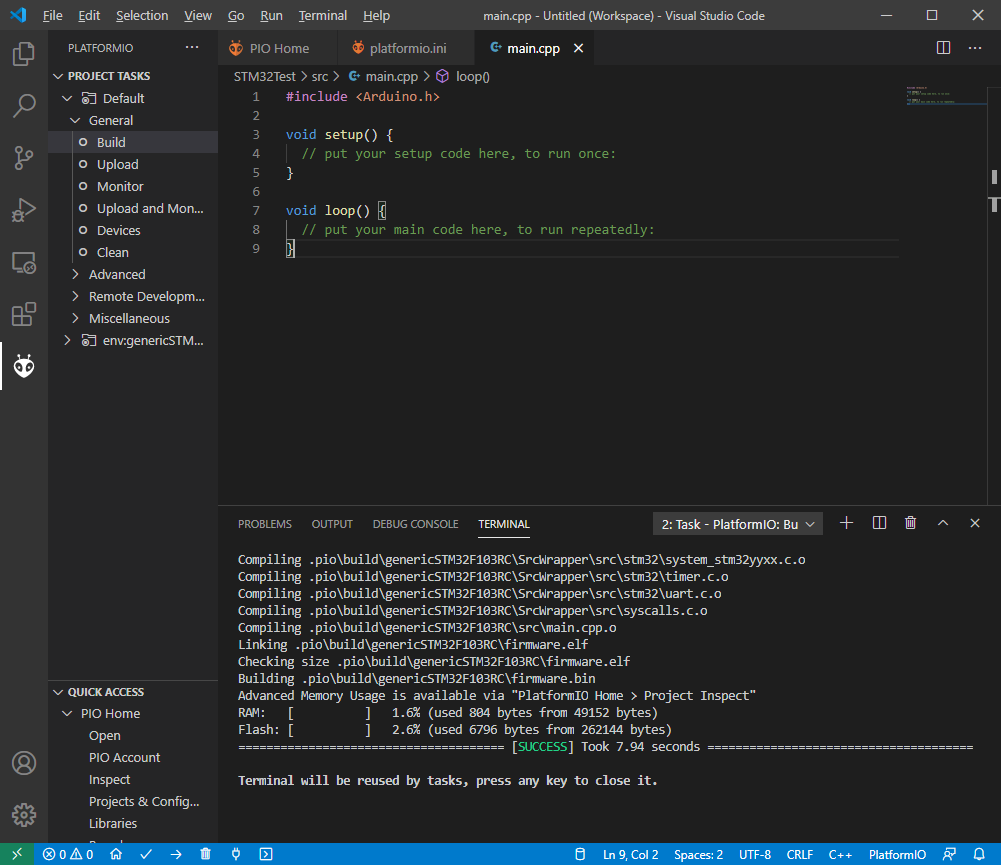
It should result in “Sucess”. Can you confirm that or post an error message?