I am getting started with VSCode and PlatformIO for ESP32 and developing on Linux. My computer does see the dev board. I installed VSCode, C++ extensions and the PlatformIO extension. I created a new project but the only framework listed was espidf. I was expecting Arduino. I selected a board that I think is correct but the name is not a perfect match. My board is ESP32-DEVKITC-VIE. I selected esp32-c6-devkitc-1. When I actually created the project (it did take several minutes) the src directory has a main.c which has void app_main() {}, but nothing more. Examples that I have been trying to follow have a few stubbed functions in the initial source file.
- Why didn’t I get main.cpp?
- Why aren’t any headers included?
What did I do wrong or fail to do?
TIA!
You
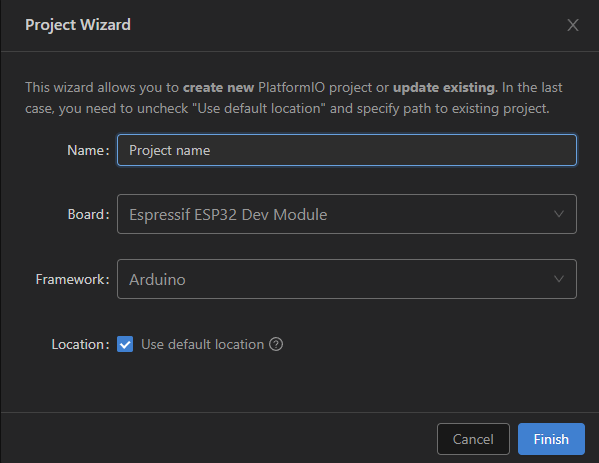
You have selected the wrong board! Choose “Espressif ESP32 Dev Module” and Framework “Arduino” in the project wizard.
Or edit the platformio.ini manually:
[env:esp32dev]
platform = espressif32
board = esp32dev
framework = arduino
Thank you for the help! At first I made the changes to the platformio.ini file. When I saved it did a lot of work, but didn’t regenerate the project. I created a new project and everything is as expected.
- How could I have forced a project re-gen after changing the platformio.ini?
- How should I have known to use the Espressif ESP32 Dev Module board?
This is usally done automatically when you save the changes in the platformio.ini.
ESP32-C6 is a different MCU than ESP32.
See Espressif 32 — PlatformIO latest documentation and ESP SoCs | Espressif Systems