I try to log my wokwi project gemini tells me this is working but I don’t see a log file in my platformIO root folder.
If you are using the Wokwi simulator extension (https://marketplace.visualstudio.com/items?itemName=wokwi.wokwi-vscode) and that simulates the firmware (PlatformIO does not do that, it probably just builds the firmware), then you need to instruct the Wokwi simulator to do logging as you like. So I think you should be asking that question in the “Issue” page as linked by the extension’s marketplace page.
Max thx but I have a mental Problem and I would to like to save the output in a log file so I can focus I need it in color so I can distinguish line by line.
You can use Wokwi’s Serial port forwarding
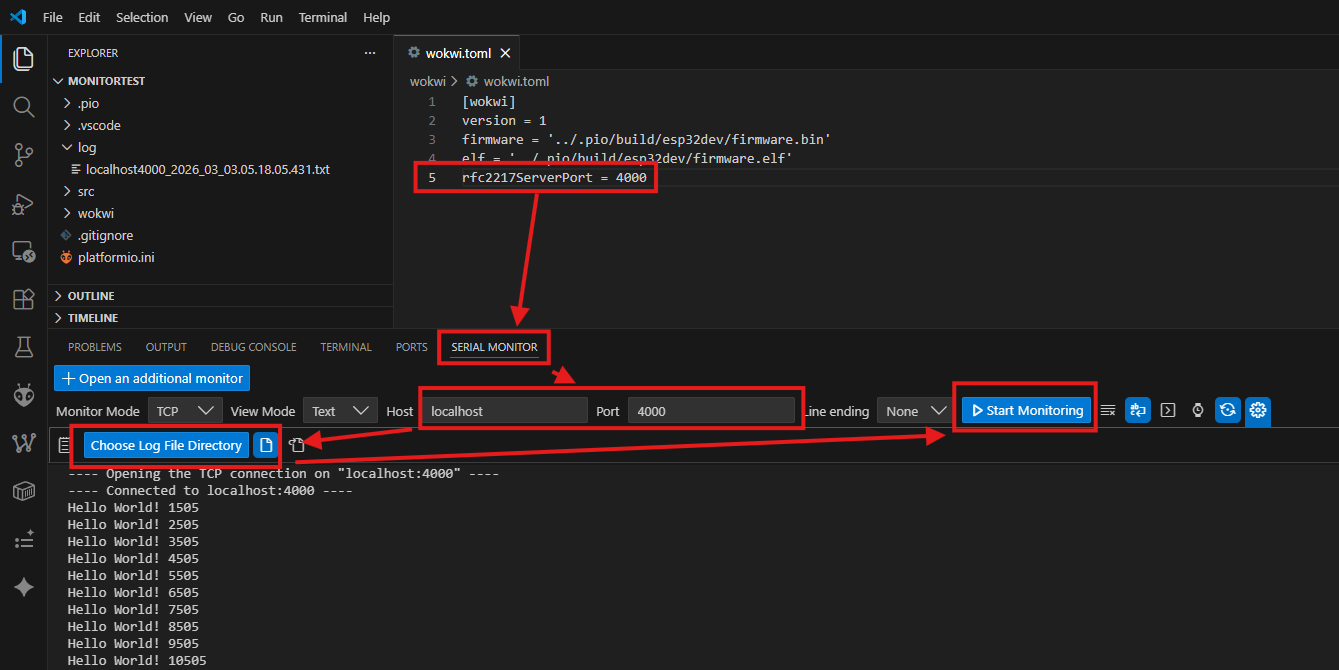
In wokwi.toml:
rfc2217ServerPort = 4000
Then use any terminal program like the VS Code extension Serial Monitor, activate logging and connect to the local port configured above:
Super nice super Thx but I can I I don’t find Open an Add additional Monitor
You need to install the add on “Serial Monitor”. Then open a new Terminal.
It works Thank you Max thank you Sivar2311.
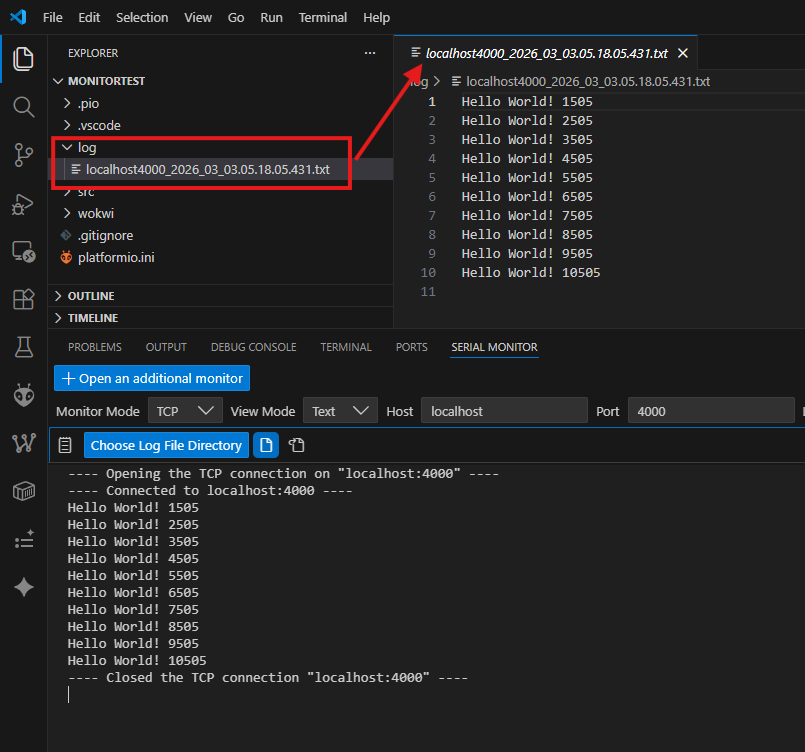
Sivar I thought I got it but just one time I doesn’t get it the log Text but were I put it. In the Folder log OK and then the next step I’m missing.
When the simulation is running, go to the “Serial Monitor” tab in the terminal.
Choose “TCP” as Monitor Mode. Enter “localhost” in “Host” and the port you set in wokwi.toml (4000) the “Port” field. Then click “Start Monitoring”. Click the gear icon and setup the location for your log files (“Choose Log File Directory”) and activate the loging by clicking on the “page icon” right next to it.
Thx thank you I have a mental Problem. peolple like you are the reason I fiddle with esp32-s3 
