I got tired of bouncing between my coding agent, random terminal tabs for pio test / esptool, and fighting over busy USB serial ports while debugging ESP32 firmware.
Taking advantage of Antigravity’s newly released MCP Apps features and compatibility, I’ve been tinkering with a plugin built on top of the open-source platformio-mcp project so the interactive hardware UI lives directly inside the workspace (no separate browser tab needed):
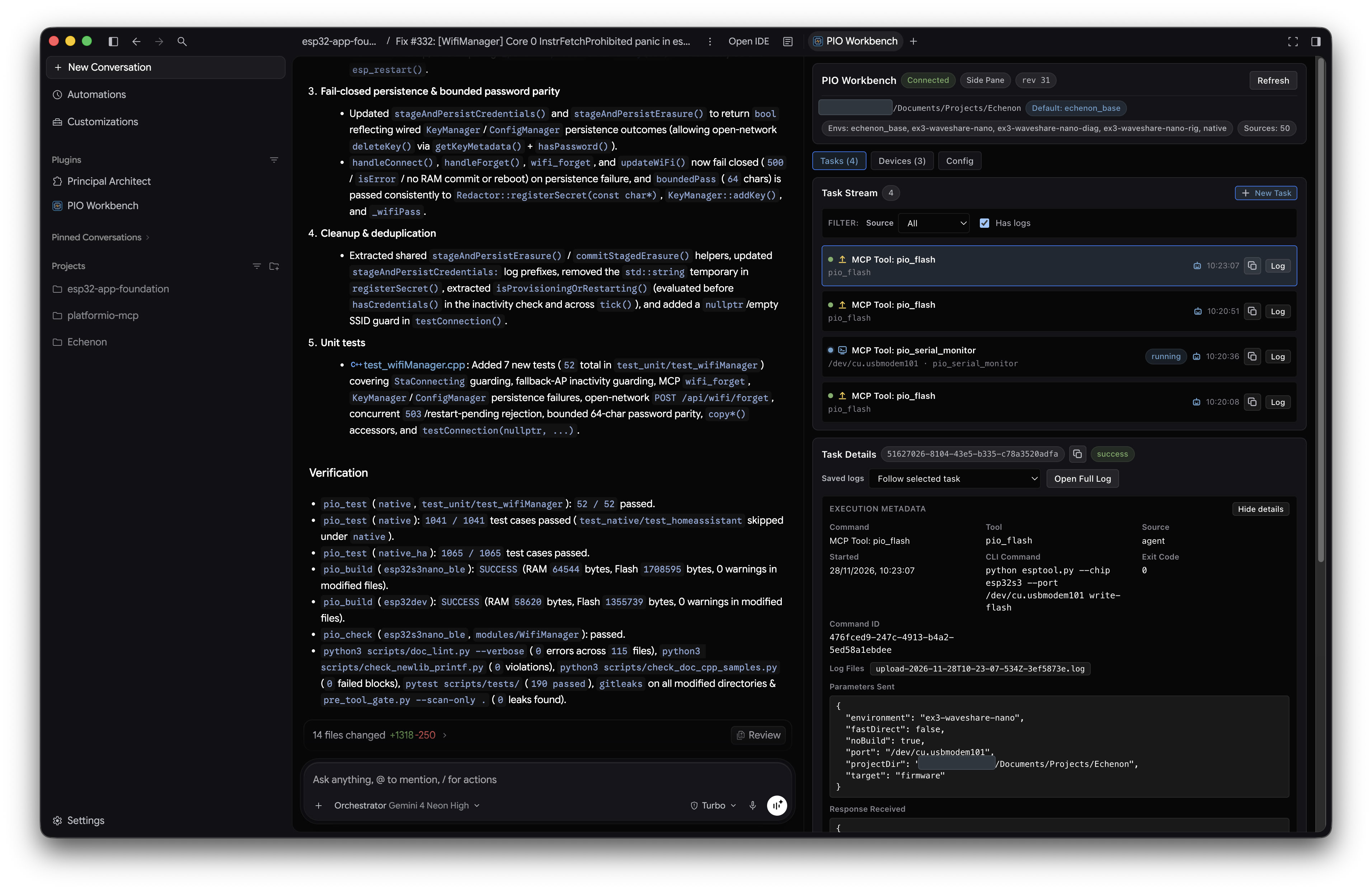
- Side-pane PIO Workbench right next to the agent chat—tracks builds, tests, flashes, active serial ports, and the exact commands/args being run.
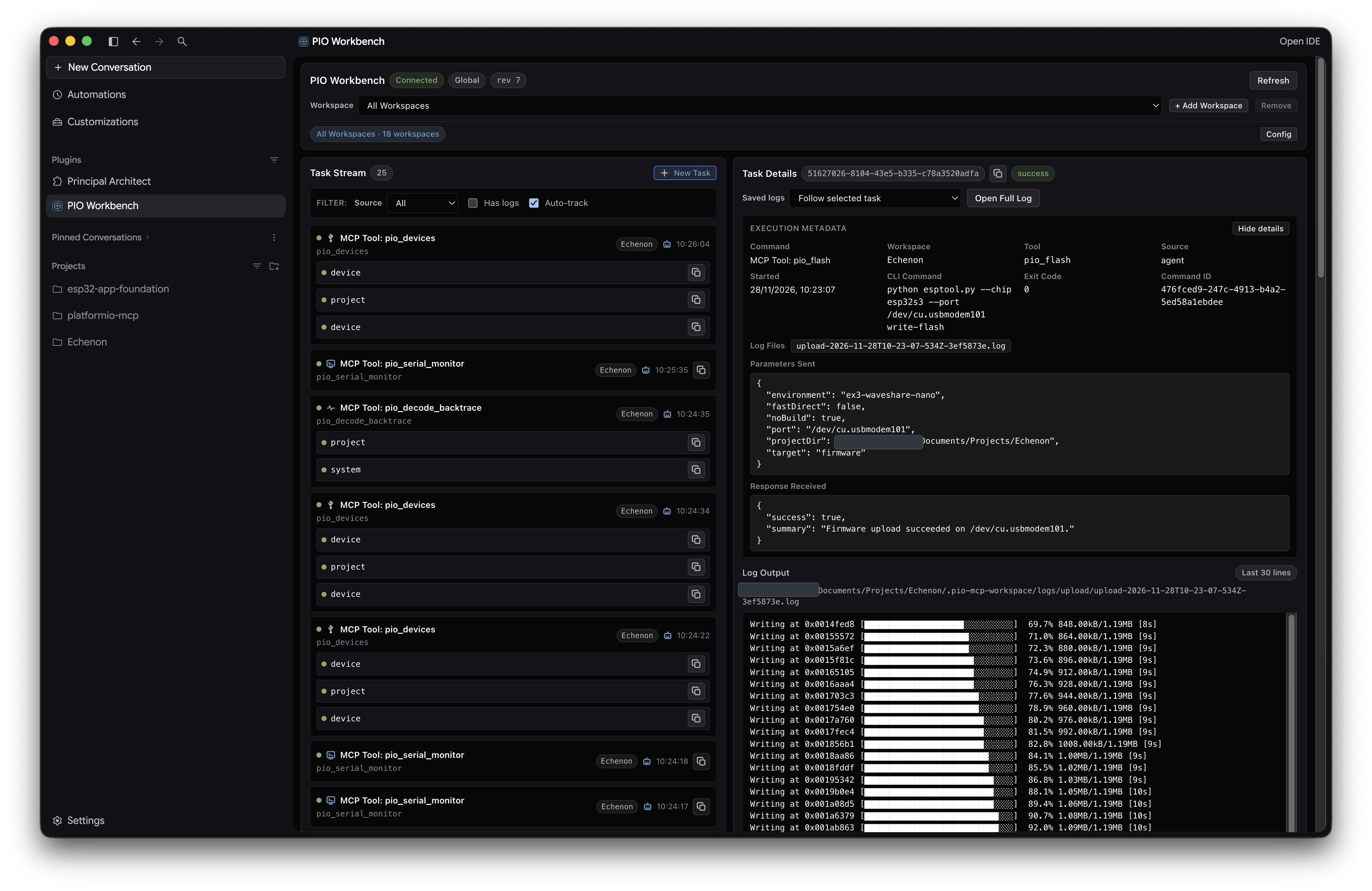
- Global view across projects so you can watch tasks and live
esptoolupload progress across multiple PlatformIO repos.
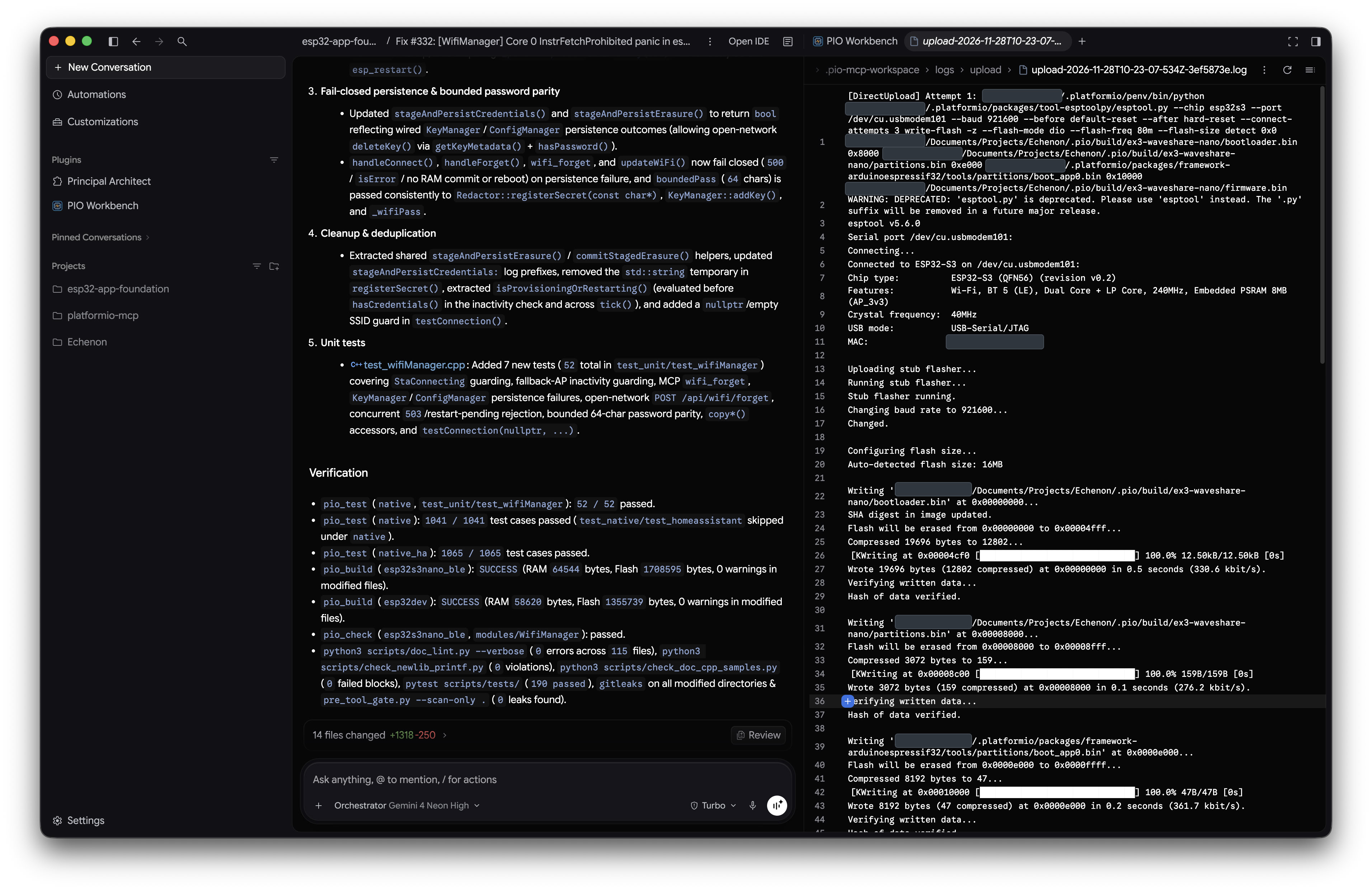
- One-click full logs—hit Open Full Log and it opens the full flash/build log directly in the side pane.
It also has a built-in serial monitor (so the agent and UI don’t step on each other’s toes on /dev/cu.usbmodem*) and inline MCP App views for crash backtraces, flash/RAM usage, partition tables, and GPIO checks.
I put it together on a github fork of jl-codes/platformio-mcp: matthewmcneill/platformio-mcp/tree/feat/pio-antigravity . Setup instructions and technical details are in the plugin README if anyone wants to poke around or try it out!
It all works fantastically with the new Neon models.
Matt