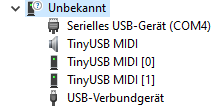
I am trying to rebuild the Adafruit Midi Test Example with PlatformIO on a Lolin S3 Mini Pro, but with no success so far. These are the Arduino IDE Params I am trying to re-create:
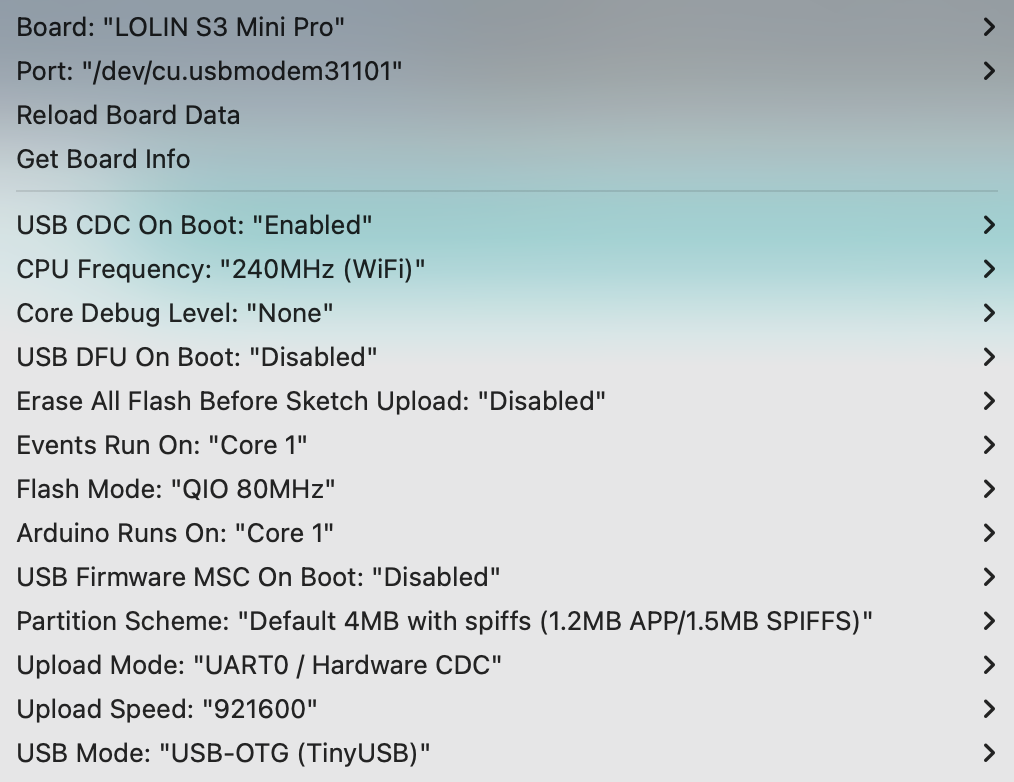
As there is no board definition for the Lolin S3 Mini Pro, I am using the ESP32-S3-FH4R2 definitions as mentioned here
The platformio.ini below builds and uploads successfully, but the device doesn’t show up as Midi device.
platformio.ini:
[env:esp32-s3-devkitc-1]
platform = espressif32
board = esp32-s3-devkitc-1
framework = arduino
board_build.arduino.memory_type = qio_qspi
board_build.flash_mode = qio
board_build.psram_type = qio
board_upload.flash_size = 4MB
board_upload.maximum_size = 4194304
board_build.partitions = default.csv

board_build.extra_flags =
  -DBOARD_HAS_PSRAM

build_flags =
  -DARDUINO_USB_CDC_ON_BOOT=1
  -DARDUINO_USB_MODE=2
  -DARDUINO_USB_DFU_ON_BOOT=0
  -DARDUINO_USB_MSC_ON_BOOT=0
  -DARDUINO_USB_VID=0x303A
  -DARDUINO_USB_PID=0x1001
  -DARDUINO_USB_MANUFACTURER=“Lolin”
  -DARDUINO_USB_PRODUCT=“Lolin S3 Mini Pro”
  -DCONFIG_ESP_DEFAULT_CPU_FREQ_MHZ=240
  -DCONFIG_FREERTOS_UNICORE=0
  -DARDUINO_RUNNING_CORE=1
  -DARDUINO_EVENT_RUNNING_CORE=1
  -DCONFIG_ESPTOOLPY_FLASHMODE_QIO=1
  -DCONFIG_ESPTOOLPY_FLASHFREQ_80M=1

lib_deps = adafruit/Adafruit TinyUSB Library@^3.7.2