Hello everyone,
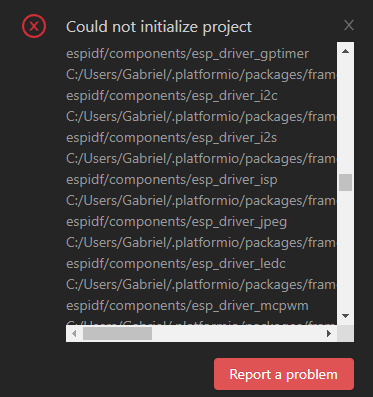
I’m having a very persistent issue when trying to create any ESP-IDF project using PlatformIO on Windows 11 + VS Code.
I already removed and reinstalled:
-
Visual Studio Code
-
PlatformIO IDE extension
-
All PlatformIO folders (
C:\Users\Gabriel\.platformio) -
Python environments automatically created by PlatformIO
-
ESP32 platform and frameworks
Even after a completely clean installation, I still cannot initialize a project using ESP-IDF framework, regardless of version.
When I create a new project (ESP32 / NodeMCU-32S / ESP-IDF), PlatformIO starts downloading tools normally, but the build always fails with errors like:
- CMake Error at .pio/build/nodemcu-32s/CMakeFiles/git-data/grabRef.cmake:48 (file):
file failed to open for reading:
…/CMakeFiles/git-data/head-ref - fatal: Needed a single revision
fatal: not a git repository:
…/framework-espidf/components/openthread/openthread/../../../.git/modules/components/openthread/openthread - No module named kconfgen
Failed to run kconfgen
I need to create a simple project using ESP-IDF inside PlatformIO, but something is clearly wrong with the PlatformIO ESP-IDF framework installation or CMake configuration on my system.
If someone already solved this issue or knows which ESP-IDF version is currently stable/compatible with PlatformIO and ESP32 NodeMCU, I would appreciate guidance.
Any help is welcome!
Thank you!