Hello!
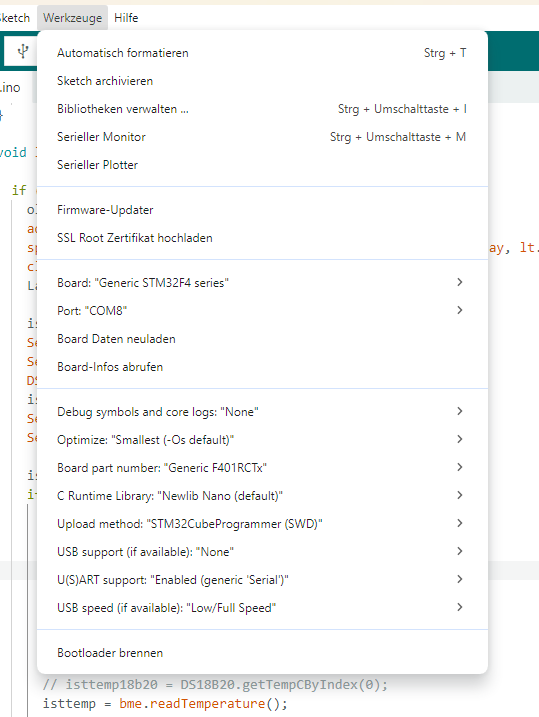
Until now, I’ve developed my programs using the Arduino IDE and an ESP32 or Arduino UNO. Now I have a custom board with an ST32F401RDT6 and want to work with PlatformIO on it in the future.
To test the toolchain, I first tried it out using the Arduino IDE.
(I can’t paste more than one picture, since I am new here)
With this configuration, I can compile and load the typical Blink program. It runs.
Now I’ve closed the Arduino IDE and repeated the process with PlatformIO.
It doesn’t run, but with the information I have, I can’t find any errors.
Processing genericSTM32F401RC (platform: ststm32; board: genericSTM32F401RC; framework: arduino)
-----------------------------------------------------------------------------------------------------------------------------------------------------------------------------------------
Verbose mode can be enabled via `-v, --verbose` option
CONFIGURATION: https://docs.platformio.org/page/boards/ststm32/genericSTM32F401RC.html
PLATFORM: ST STM32 (19.4.0) > STM32F401RC (64k RAM. 256k Flash)
HARDWARE: STM32F401RCT6 84MHz, 64KB RAM, 256KB Flash
DEBUG: Current (stlink) External (blackmagic, jlink, stlink)
PACKAGES:
 - framework-arduinoststm32 @ 4.21100.0 (2.11.0)
 - framework-cmsis @ 2.50900.0 (5.9.0)
 - tool-dfuutil @ 1.11.0
 - tool-dfuutil-arduino @ 1.11.0
 - tool-openocd @ 3.1200.0 (12.0)
 - tool-stm32duino @ 1.0.2
 - tool-stm32flash @ 0.7.0
 - toolchain-gccarmnoneeabi @ 1.120301.0 (12.3.1)
LDF: Library Dependency Finder -> https://bit.ly/configure-pio-ldf
LDF Modes: Finder ~ chain, Compatibility ~ soft
Found 15 compatible libraries
Scanning dependencies...
No dependencies
Building in release mode
Compiling .pio\build\genericSTM32F401RC\src\main.cpp.o
Checking size .pio\build\genericSTM32F401RC\firmware.elf
Advanced Memory Usage is available via "PlatformIO Home > Project Inspect"
RAM:   [          ]   1.8% (used 1156 bytes from 65536 bytes)
Flash: [          ]   4.4% (used 11656 bytes from 262144 bytes)
Configuring upload protocol...
AVAILABLE: blackmagic, dfu, jlink, serial, stlink
CURRENT: upload_protocol = stlink
Uploading .pio\build\genericSTM32F401RC\firmware.elf
xPack Open On-Chip Debugger 0.12.0-01004-g9ea7f3d64-dirty (2023-01-30-15:04)
Licensed under GNU GPL v2
For bug reports, read
        http://openocd.org/doc/doxygen/bugs.html
debug_level: 1

hla_swd
[stm32f4x.cpu] halted due to debug-request, current mode: Thread
xPSR: 0x01000000 pc: 0x1fff4346 msp: 0x20002560
** Programming Started **
** Programming Finished **
** Verify Started **
** Verified OK **
** Resetting Target **
shutdown command invoked
============================================================================== [SUCCESS] Took 3.93 seconds ==============================================================================
 *  Terminal will be reused by tasks, press any key to close it.
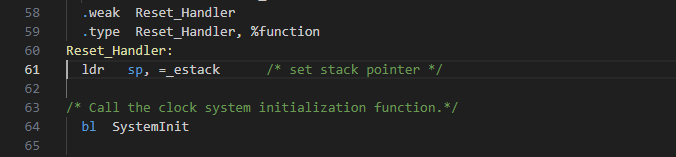
The LED isn’t blinking. I also tried testing it in debug mode. I get a debug window, but no way to run the code.
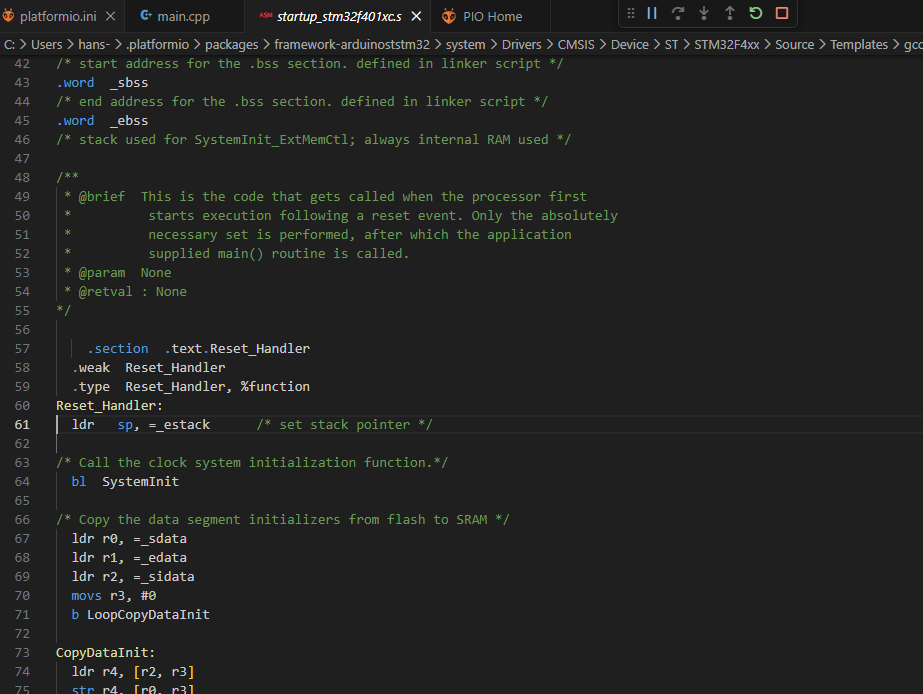
Does anyone have any idea what could be causing this?
Thanks and regards, Hans-Joachim