I’m getting a “UndefinedEnvPlatformError: Please specify platform for ‘none’ environment” error when I save my platformio.ini file.
Additional platformio.ini file included with extra_configs:
; ../../Common/platformio.ini
[env:feather_32u4]
  platform = atmelavr
  board = feather32u4
  upload_port = /dev/cu.usbmodem1442401
  monitor_port = /dev/cu.usbmodem1442401
The active platformio.ini file that is failing:
; platformio.ini
[platformio]
  default_envs = none
  extra_configs = "../../Common/platformio.ini"

[env]
  build_src_filter = -<*.*>
  framework = arduino
  monitor_filters = time
  monitor_speed = 115200

[env:none]
  extends = env:feather_32u4
  build_src_filter = +<../../Common/src/none.cpp>
It seems to find and process the extra ini file okay, but isn’t picking up the platform from it.
Why a string? Just say
extra_configs = ../../Common/platformio.ini
No that issue was a separate bug that’s solved already and was only present in beta releases of the core. I’ve linked it in the original issue.
1 Like
Nasty: If you say
[platformio]
  default_envs = none
  extra_configs = doesntexist.ini
It gives no warning. It’ll just say
pio run
Processing none (framework: arduino)
------------------------------------------------------------------------------------------------------------------------
UndefinedEnvPlatformError: Please specify platform for 'none' environment
Quoting the filepath was the error. Otherwise it silently fails to include the file and error out on something else, making it seem like something else is the error.
String because that’s what the docs say it is ( extra_configs — PlatformIO latest documentation ).
That being said, removing the quotes does fix it.
The fundamental type of the option is “String” as opposed to a e.g. boolean (which you would use as no or yes in the platformio.ini), but that doesn’t mean you have to quote it. The example also shows no quotes.
As I said, removing the quotes fixed that problem. Now there is another one.
The [env:none] environment specifies “build_src_filter = +<../../Common/src/none.cpp>”.
That file definitely exists. I can do an ls from the project directory and see it.
$ pwd
/Projects/DPLHInternal/DALFiles/Components/BuiltinLed

$ ls -l ../../Common/src/
.rw-r–r–@ 979 dpatterson 28 Jun 10:11 none.cpp
But when I build (either in code or at cli), i get this error:
Error: Nothing to build. Please put your source code files to the ‘/Projects/DPLHInternal/DALFiles/Components/BuiltinLed/src’ folder
I know this basic concept works because I am using it elsewhere.
Could you share the project folder structure?
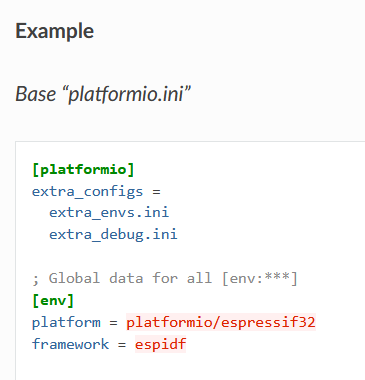
A standard PlatformIO configuration, like the one shown in the tutorial example, looks like the setup in this screenshot.
Is your project folder named “Common”?
Looking at the error message, it appears the builder recognizes the project folder as:
/Projects/DPLHInternal/DALFiles/Components/BuiltinLed