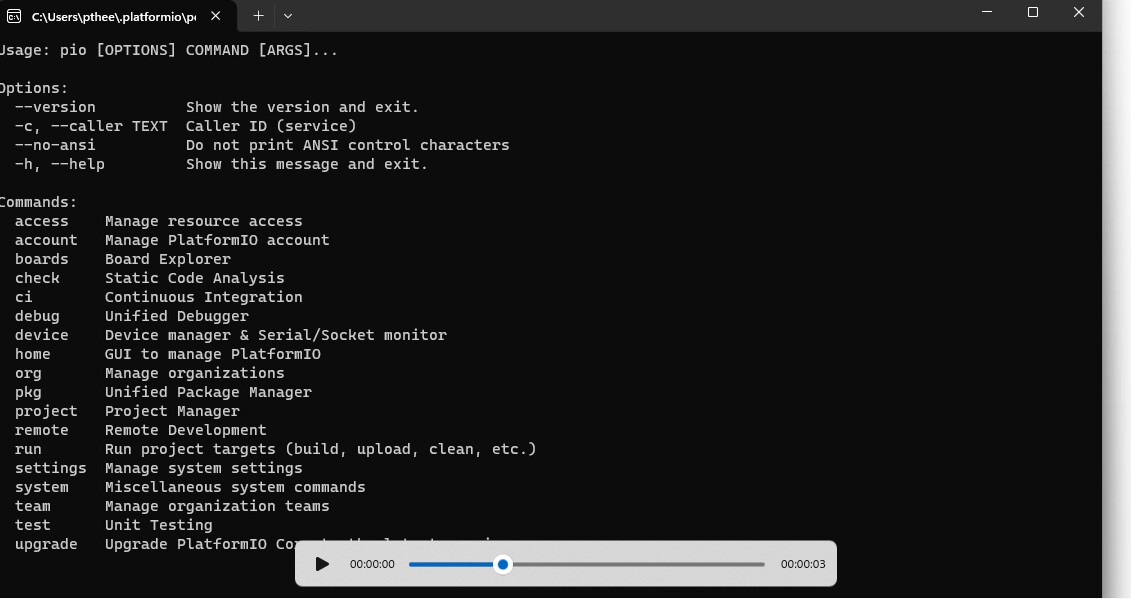
Hello there,
mby you can help me with this issue: I can not Open PIO
My Console shows this error :
console.ts:139 [Extension Host] runCommand C:\Users\pthee\.platformio\penv\Scripts\python.exe Array(14) Object
index.html?id=9f0a0e5f-5fc4-4537-91e2-a68b1c7ea3d2&parentId=1&origin=8e4f10a1-412e-4d3c-9d7c-9a6720865b36&swVersion=4&extensionId=platformio.platformio-ide&platform=electron&vscode-resource-base-authority=vscode-resource.vscode-cdn.net&parentOrigin=vscode-file%3A%2F%2Fvscode-app:1060 Unrecognized feature: 'local-network-access'.
(anonymous) @ index.html?id=9f0a0e5f-5fc4-4537-91e2-a68b1c7ea3d2&parentId=1&origin=8e4f10a1-412e-4d3c-9d7c-9a6720865b36&swVersion=4&extensionId=platformio.platformio-ide&platform=electron&vscode-resource-base-authority=vscode-resource.vscode-cdn.net&parentOrigin=vscode-file%3A%2F%2Fvscode-app:1060
console.ts:139 [Extension Host] Error: Could not start PIO Home server: Timeout error
	at Timeout._onTimeout (c:\Users\pthee\.vscode\extensions\platformio.platformio-ide-3.3.4-win32-x64\node_modules\platformio-node-helpers\dist\index.js:1:10741)
	at listOnTimeout (node:internal/timers:588:17)
	at process.processTimers (node:internal/timers:523:7)
yks @ console.ts:139
console.ts:139 [Extension Host] runCommand C:\Users\pthee\.platformio\penv\Scripts\python.exe Array(14) Object
console.ts:139 [Extension Host] Error: Could not start PIO Home server: Timeout error
	at Timeout._onTimeout (c:\Users\pthee\.vscode\extensions\platformio.platformio-ide-3.3.4-win32-x64\node_modules\platformio-node-helpers\dist\index.js:1:10741)
	at listOnTimeout (node:internal/timers:588:17)
	at process.processTimers (node:internal/timers:523:7)
yks @ console.ts:139
$logExtensionHostMessage @ mainThreadConsole.ts:39
S @ rpcProtocol.ts:458
Q @ rpcProtocol.ts:443
M @ rpcProtocol.ts:373
L @ rpcProtocol.ts:299
(anonymous) @ rpcProtocol.ts:161
C @ event.ts:1202
fire @ event.ts:1233
fire @ ipc.net.ts:652
l.onmessage @ localProcessExtensionHost.ts:383
console.ts:139 [Extension Host] runCommand C:\Users\pthee\.platformio\penv\Scripts\python.exe (14) ['-m', 'platformio', '-c', 'vscode', 'home', '--port', 45230, '--host', '127.0.0.1', '--session-id', '77bdb2a680f4f0792ed8d0d315228cb3e6eefdd2', '--shutdown-timeout', 3600, '--no-open'] {_id: 'C:\\Users\\pthee\\.platformio\\penv\\Scripts\\python.exe-0.05342792114510697'}
console.ts:139 [Extension Host] Error: Could not start PIO Home server: Timeout error
	at Timeout._onTimeout (c:\Users\pthee\.vscode\extensions\platformio.platformio-ide-3.3.4-win32-x64\node_modules\platformio-node-helpers\dist\index.js:1:10741)
	at listOnTimeout (node:internal/timers:588:17)
	at process.processTimers (node:internal/timers:523:7)
yks @ console.ts:139
$logExtensionHostMessage @ mainThreadConsole.ts:39
S @ rpcProtocol.ts:458
Q @ rpcProtocol.ts:443
M @ rpcProtocol.ts:373
L @ rpcProtocol.ts:299
(anonymous) @ rpcProtocol.ts:161
C @ event.ts:1202
fire @ event.ts:1233
fire @ ipc.net.ts:652
l.onmessage @ localProcessExtensionHost.ts:383
notificationsAlerts.ts:42 Error: Could not start PIO Home server: Timeout error 	at Timeout._onTimeout (c:\Users\pthee\.vscode\extensions\platformio.platformio-ide-3.3.4-win32-x64\node_modules\platformio-node-helpers\dist\index.js:1:10741) 	at listOnTimeout (node:internal/timers:588:17) 	at process.processTimers (node:internal/timers:523:7)...
c @ notificationsAlerts.ts:42
(anonymous) @ notificationsAlerts.ts:28
C @ event.ts:1202
D @ event.ts:1213
fire @ event.ts:1237
addNotification @ notifications.ts:228
notify @ notificationService.ts:234
(anonymous) @ mainThreadMessageService.ts:93
g @ mainThreadMessageService.ts:56
$showMessage @ mainThreadMessageService.ts:50
S @ rpcProtocol.ts:458
Q @ rpcProtocol.ts:443
M @ rpcProtocol.ts:373
L @ rpcProtocol.ts:299
(anonymous) @ rpcProtocol.ts:161
C @ event.ts:1202
fire @ event.ts:1233
fire @ ipc.net.ts:652
l.onmessage @ localProcessExtensionHost.ts:383
Perhaps one of you knows how I can fix this problem.
Thank you very much and have peaceful holidays.