I’ve resolved the issue! If you want the step by step details, feel free to read. Or jump to the bottom for the summary…
I started digging into the library issue from the PlatformIO pages. The call message shows up twice (once for the repository I sent to you, and once for the original project that wasn’t working). And no matter how long I wait for those spinning wheels to stop… they don’t stop.
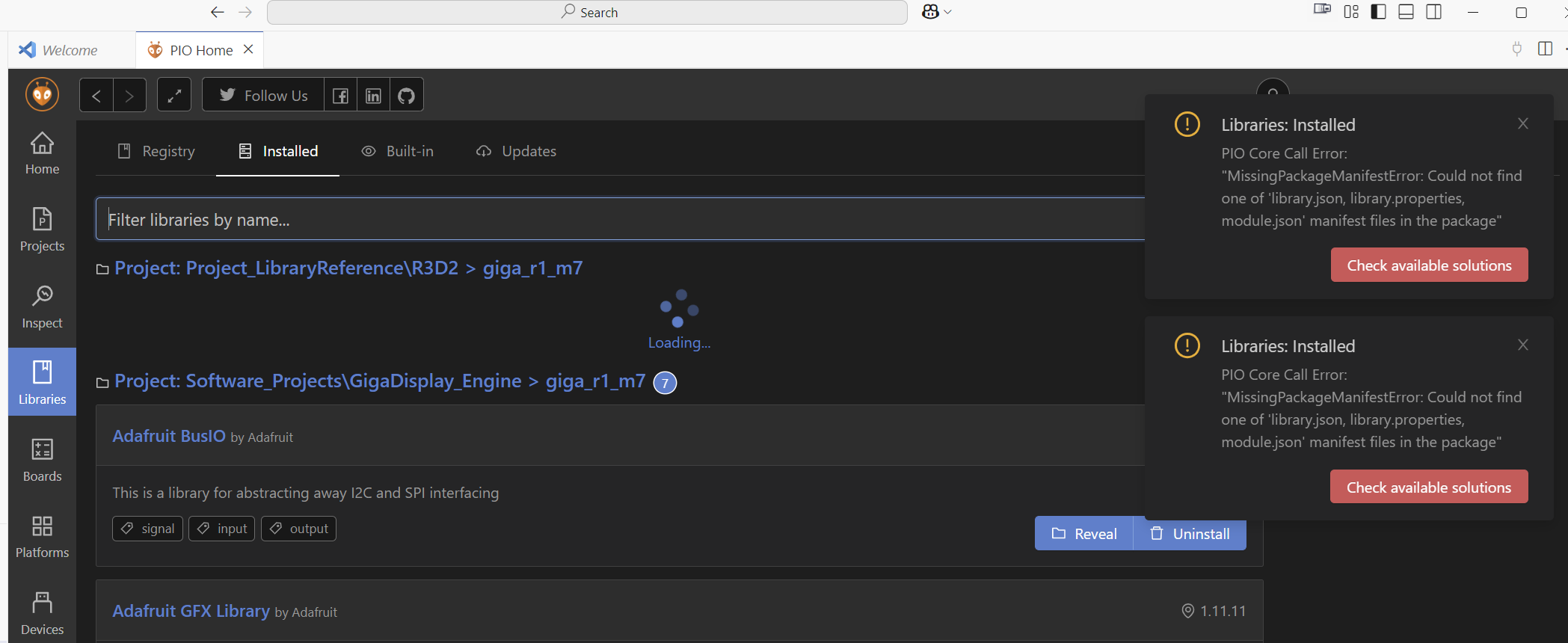
I deleted the platformio.ini files from both folders.
I then went into the “Project” interface and deleted the platformio-ini config files as they showed up in the PlatformIO screen.
Once I did those two things… the error messages stopped.
Next I commented out the reference to <comms.h> from the include file.
I deleted the three folders again (.cache, .platforms, .pakages).
I restarted VS Code, opened the project (which has no platformio.ini file) and accessed the library screen in the PlatformIO tool. I no longer recieved the error message.
Next, I rebuilt the platformio.ini file WITHOUT the lib_deps message. So there should have been nothing to attempt to load the comms library.
But I started to receive the error again.
Then I noticed a new folder in the .pio folder… .pio/libdeps/giga_r1_m7/ that had a file in it called Libraries.pio-link (this is in the repository that we are sharing).
When I open that file, there is only one line…
{“cwd”: “C:\Software_Projects\R3D2”, “spec”: {“owner”: null, “id”: null, “name”: “Libraries”, “requirements”: null, “uri”: “symlink://…/Libraries”}
The reference to “symlink://…/Libraries” was an old option I tried a while back when I was attempting to get all of this to work. I had added the symlink to the platformio.ini file when the Comms folder was in a subfolder called Libraries. This reference hasn’t been tried or used since before I posted this issue.
I deleted the entire libdeps directory, and restarted VS Code. And it worked!
Summary… there is a file created in /.pio/libdeps/ when you attempt to create a library link that was not deleted. Not sure what should trigger this deletion, but it wasn’t happening. Everytime I tried to load or build the project, it searched for this library that doesn’t exist. And because of this error, the library page in PlatformIO froze and wouldn’t show me the reference to the library to realize what it was trying to load.