As someone who rapidly uploads new versions of code to devices as I’m developing firmware, this popup has been possibly the most frustrating update I’ve seen. It started appearing about 6 months ago if memory serves correctly:
If I did not want to terminate the existing session, I would not have clicked the button.
I’ve been using PlatformIO on VS Code for several years now. But I’ve never seen this “button” before.
When does it show up? (What’s your workflow?)
Here is a video of what I am experiencing https://youtu.be/Aiq0vCF3drY
The problem occurs on uploading the firmware.
My setup behave different. The upload and monitor task is closed automatically:VIDEO
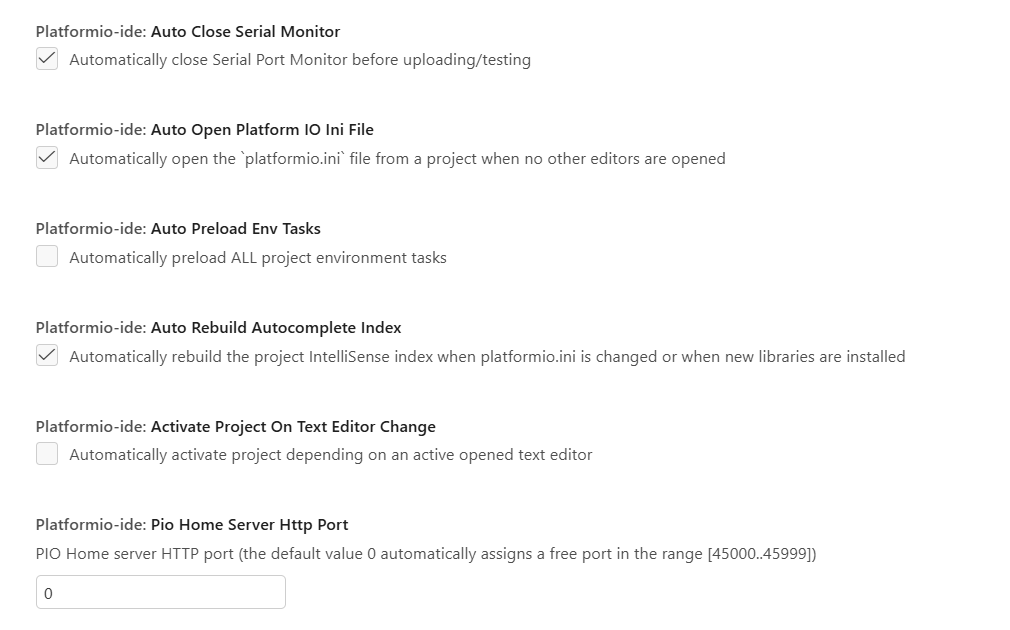
Did you enable “Auto Close Serial Monitor” in the PlatformIO IDE settings?
Yes, this setting is enabled. I still have the same behaviour
Any news on this? It’s been frustrating me as well.
Here’s exactly what happens:
I click the Upload button without paying that much attention. I see the terminal launches and go do something else.
After about a minute, I return to see [SUCCESS] Took XX seconds in the terminal.
But nothing actually uploaded – that success message was from an older upload.
If I click Upload again, I get the annoying: “Select an instance to terminate” . dialog.
This is clearly a bug. The Upload button should always start a fresh upload sequence, not just open the terminal.
That’s how it was before it changed somewhere during 2025.
And yes, I do have the preference enabled: