So, just tried this, based on Bodmer’s example …
// Trev's touch screen Slider widget demo
// from https://github.com/Bodmer/TFT_eWidget
#include "FS.h"
#include <TFT_eSPI.h>
#include <TFT_eWidget.h> // Widget library
TFT_eSPI tft = TFT_eSPI();
TFT_eSprite knob = TFT_eSprite(&tft);           // Sprite for the slide knob
SliderWidget s1 = SliderWidget(&tft, &knob);    // Slider 1 widget
// This is the file name used to store the calibration data
// The SPIFFS file name must start with "/".
#define CALIBRATION_FILE "/TouchCalData2"
//=====================================================
// CALIBRATE NOW ??????
// Set REPEAT_CAL to true for first run, or if
// screen rotation is changed.
// Set to false, once calibrated OK.
#define REPEAT_CAL false
//=====================================================
// ####################################################
// ##### CALIBRATE TOUCH SCREEN #############
// ####################################################
void touch_calibrate() {
uint16_t calData[5];
uint8_t calDataOK = 0;
// check file system exists
if (!SPIFFS.begin()) {
Serial.println("formatting file system");
SPIFFS.format();
SPIFFS.begin(); }
// check if calibration file exists and size is correct
if (SPIFFS.exists(CALIBRATION_FILE)) {
if (REPEAT_CAL) {
// Delete if we want to re-calibrate
SPIFFS.remove(CALIBRATION_FILE);
} else {
File f = SPIFFS.open(CALIBRATION_FILE, "r");
if (f) {
if (f.readBytes((char *)calData, 14) == 14)
calDataOK = 1;
f.close();
}
}
}
//Touch screen calibration already done OK ############
if (calDataOK && !REPEAT_CAL) {
//calibration data valid ----------------------------
tft.setTouch(calData);
} else {
//data not valid so recalibrate ---------------------
tft.fillScreen(TFT_BLACK);
tft.setCursor(20, 0);
tft.setTextFont(2);
tft.setTextSize(1);
tft.setTextColor(TFT_WHITE, TFT_BLACK);
tft.println("Touch corners as indicated");
tft.setTextFont(1);
tft.println();
//
if (REPEAT_CAL) {
tft.setTextColor(TFT_RED, TFT_BLACK);
tft.println("Set REPEAT_CAL to false to stop this running again!");
}
tft.calibrateTouch(calData, TFT_MAGENTA, TFT_BLACK, 15);
tft.setTextColor(TFT_GREEN, TFT_BLACK);
tft.println("Calibration complete!");
// store data -----------------------------------------------------------------
File f = SPIFFS.open(CALIBRATION_FILE, "w");
if (f) {
f.write((const unsigned char *)calData, 14);
f.close();
}
}
}
// ####################################################
// ##### SET UP #############################
// ####################################################
void setup() {
Serial.begin(115200);
// Start TFT screen SPI
tft.begin();
tft.setRotation(4);
// Calibrate the touch screen and retrieve the scaling factors
touch_calibrate();
tft.fillScreen(TFT_BLACK);
// Create a parameter set for a VERTICAL slider on TFT screen at x=225, y=108
slider_t param;
// Slider slot parameters
param.slotWidth = 40; // Note: ends of slot will be rounded and anti-aliased
param.slotLength = 260; // Length includes rounded ends
param.slotColor = TFT_BLUE; // Slot colour
param.slotBgColor = TFT_BLACK; // Slot background colour for anti-aliasing
param.orientation = V_SLIDER; // sets it "false" for vertical
// Knob details
param.knobWidth = 60; // knob width
param.knobHeight = 25; // knob height
param.knobRadius = 5; // knob corner radius
param.knobColor = TFT_GREEN; // Anti-aliased with slot backgound colour
param.knobLineColor = TFT_WHITE; // Colour of marker line (set to same as knobColor for no line)
// Slider range, start position and speed
param.sliderLT = 99; // Top of slider value range
param.sliderRB = 0; // Bottom of slider value range
param.startPosition = 20; // Start position for control knob
param.sliderDelay = 100; // Slider speed delay 2000 micro seconds per pixel
// Draw slider to TFT screen
s1.drawSlider(225, 108, param); //Draw to TFT screen at x, y, using parameters
}
// ####################################################
// ##### LOOP - SLIDER TOUCH ??? #############
// ####################################################
void loop() {
static uint32_t scanTime = millis();
uint16_t t_x = 9999, t_y = 9999; // To store the touch coordinates
// Scan for touch every 50ms
if (millis() - scanTime >= 20) {
// Pressed will be set true if there is a valid touch on the screen
if( tft.getTouch(&t_x, &t_y, 250) ) {
if (s1.checkTouch(t_x, t_y)) {
Serial.print("Slider 2 = "); Serial.println(s1.getSliderPosition());
}
}
scanTime = millis();
}
}
Initially, I set #define REPEAT_CAL true, to calibrate my screen at tft.setRotation(4);.
I started at param.startPosition = 50; … the slider was drawn with the knob at 50 immediately, plus slider operation was immediately available.
Then I changed to param.startPosition = 20;
Now, each time I start up, the slider is always drawn with the knob at 50 and then animated slowly down to 20.
Only after that is completed, then I can operate the slider.
Lowering to value of param.sliderDelay = 100; doesn’t change the initial animation speed.
Increasing the value slows the animation and makes the slider slower, when I move it.
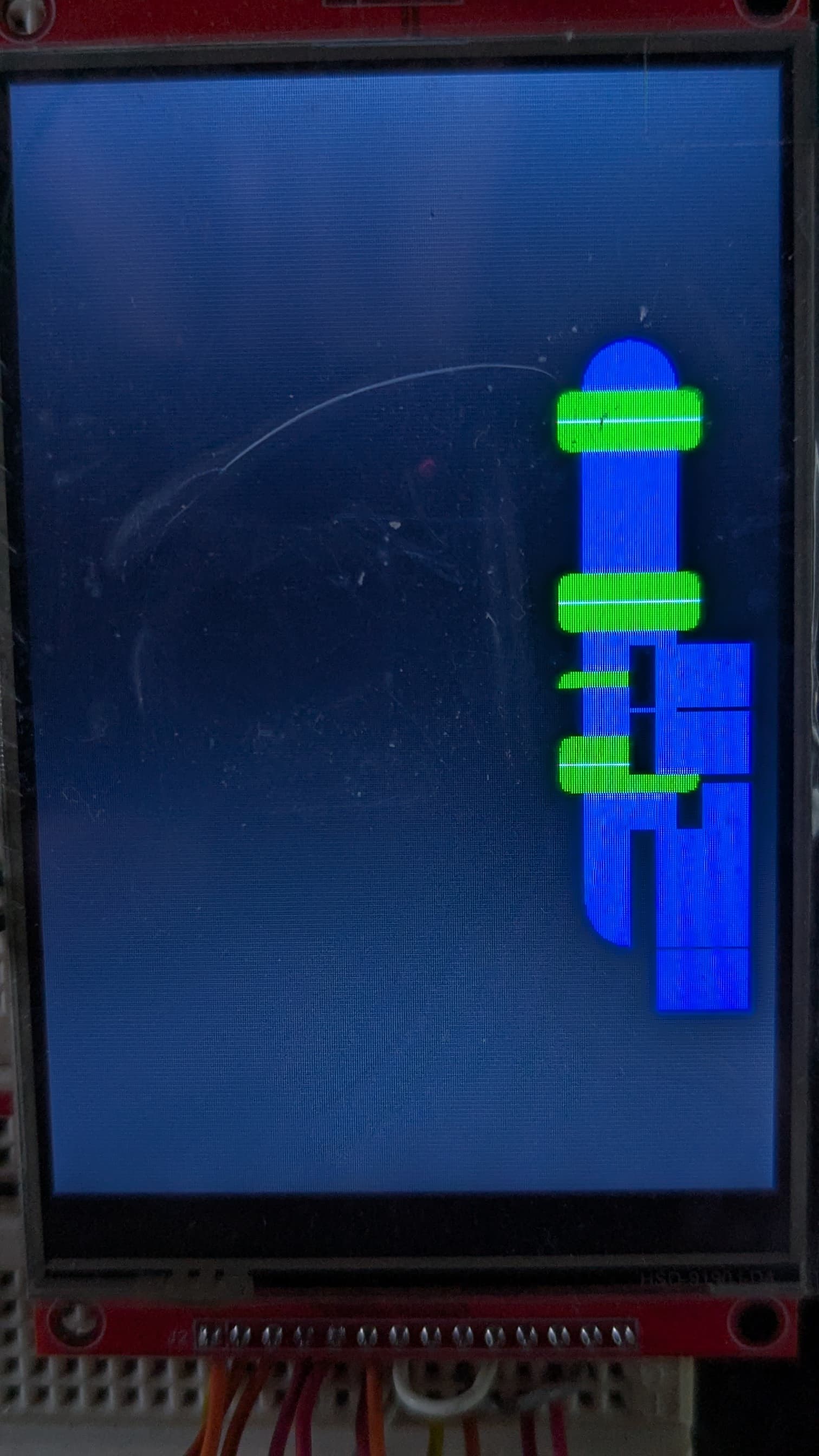
Changing param.sliderDelay = 0; causes these faults.
-
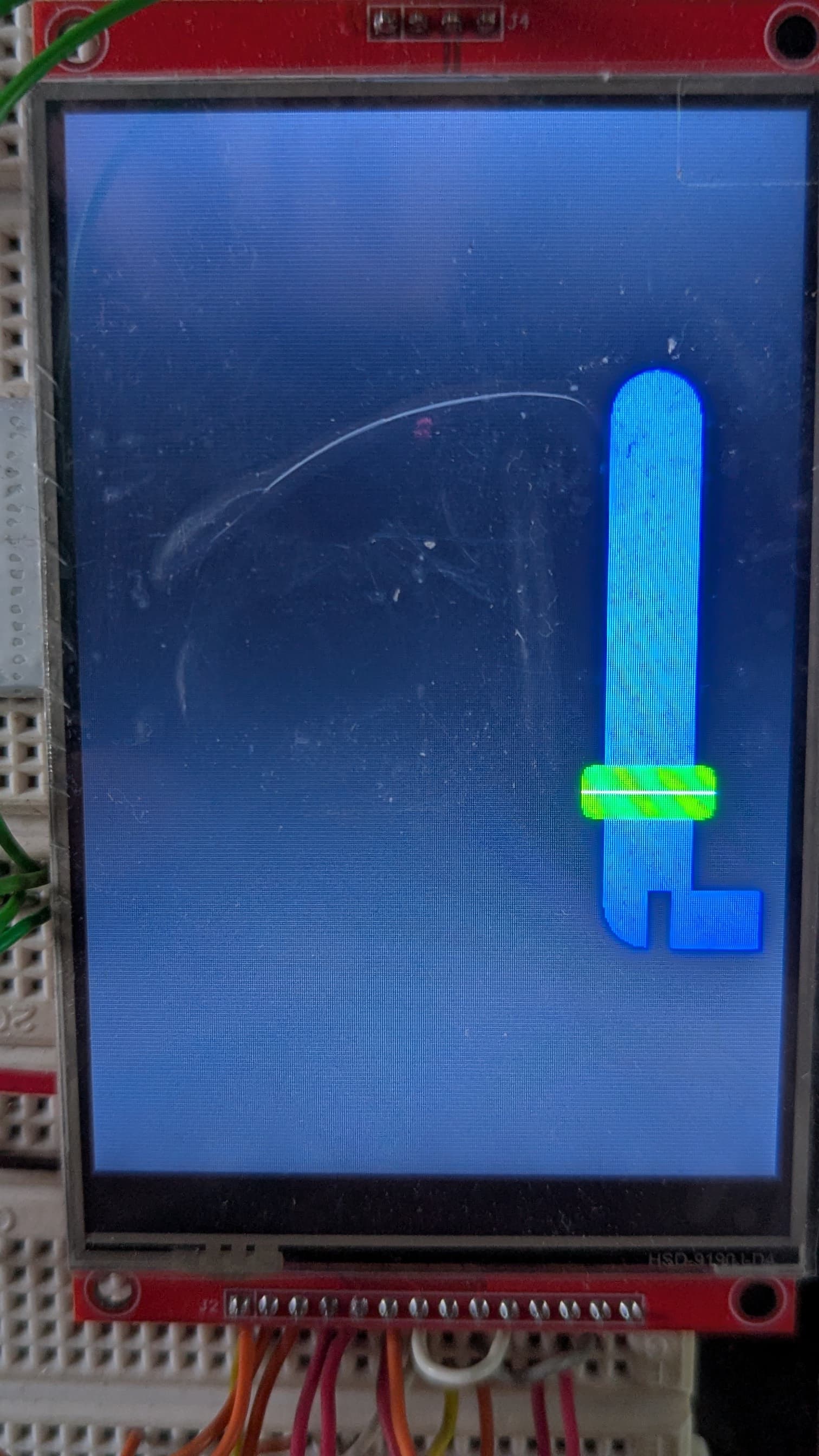
Initially, the knob is drawn at 20 and I can move it immediately, but a strange rectangle is drawn beside the bottom of the slider slot.
-
Moving the slider draws knobs and strange rectangles all over the slot
Apologies for the rubbish pictures, but the TFT is very bright and blinds my phone camera.
So, I’m still a bit stuck. I can work with the slider at a delay of 100, which doesn’t take too long to setup.
I really wanted to make the slider move much slower, but that takes a long time to set itself up.
I’ve obviously missed something in this sketch, but I cannot see what or where ?
Thank you.
Trevor