Excuse my ignorance, hahahaha, where should I add it, in which line?
Just at the very bottom.
Perhaps it is me or the stick itself, but now I am getting this:
Verbose mode can be enabled via -v, --verbose option
CONFIGURATION: Redirecting...
PLATFORM: Espressif 32 (6.8.1) > Espressif ESP32-S3-DevKitC-1-N8 (8 MB QD, No PSRAM)
HARDWARE: ESP32S3 240MHz, 320KB RAM, 8MB Flash
DEBUG: Current (esp-builtin) On-board (esp-builtin) External (cmsis-dap, esp-bridge, esp-prog, iot-bus-jtag, jlink, minimodule, olimex-arm-usb-ocd, olimex-arm-usb-ocd-h, olimex-arm-usb-tiny-h, olimex-jtag-tiny, tumpa)
PACKAGES:
- framework-arduinoespressif32 @ 3.20017.0 (2.0.17)
- tool-esptoolpy @ 1.40501.0 (4.5.1)
- tool-mkfatfs @ 2.0.1
- tool-mklittlefs @ 1.203.210628 (2.3)
- tool-mkspiffs @ 2.230.0 (2.30)
- toolchain-riscv32-esp @ 8.4.0+2021r2-patch5
- toolchain-xtensa-esp32s3 @ 8.4.0+2021r2-patch5
LDF: Library Dependency Finder → Library Dependency Finder (LDF) — PlatformIO latest documentation
LDF Modes: Finder ~ chain, Compatibility ~ soft
Found 34 compatible libraries
Scanning dependencies…
Dependency Graph
|-- TFT_eSPI @ 2.5.43
|-- SPI @ 2.0.0
|-- SPIFFS @ 2.0.0
|-- FS @ 2.0.0
|-- LittleFS @ 2.0.0
Building in debug mode
Retrieving maximum program size .pio/build/ESP32-S3-DevKitC-1/firmware.elf
Checking size .pio/build/ESP32-S3-DevKitC-1/firmware.elf
Advanced Memory Usage is available via “PlatformIO Home > Project Inspect”
RAM: [= ] 5.8% (used 19016 bytes from 327680 bytes)
Flash: [= ] 12.5% (used 392189 bytes from 3145728 bytes)
Configuring upload protocol…
AVAILABLE: cmsis-dap, esp-bridge, esp-builtin, esp-prog, espota, esptool, iot-bus-jtag, jlink, minimodule, olimex-arm-usb-ocd, olimex-arm-usb-ocd-h, olimex-arm-usb-tiny-h, olimex-jtag-tiny, tumpa
CURRENT: upload_protocol = esptool
Looking for upload port…
Auto-detected: /dev/ttyACM0
Uploading .pio/build/ESP32-S3-DevKitC-1/firmware.bin
esptool.py v4.5.1
Serial port /dev/ttyACM0
Connecting…
Chip is ESP32-S3 (revision v0.2)
Features: WiFi, BLE
Crystal is 40MHz
MAC: f4:12:fa:ae:6c:e8
Uploading stub…
Running stub…
Stub running…
Changing baud rate to 460800
A fatal error occurred: No serial data received.
*** [upload] Error 2
======================================= [FAILED] Took 7.17 seconds =======================================
- The terminal process “platformio ‘run’, ‘–target’, ‘upload’” terminated with exit code: 1.
- Terminal will be reused by tasks, press any key to close it.
Are any serial monitors still open? Close them all. Replug the ESP32S3 if needed.
hum…I killed the terminal and closed visual studio code. Got a timeout error next time I tried to upload it.
Then rebooted my pc, and got the same timeout error:
Uploading .pio/build/ESP32-S3-DevKitC-1/firmware.bin
esptool.py v4.5.1
Serial port /dev/ttyACM0
Connecting...

A serial exception error occurred: Write timeout
Note: This error originates from pySerial. It is likely not a problem with esptool, but with the hardware connection or drivers.
For troubleshooting steps visit: https://docs.espressif.com/projects/esptool/en/latest/troubleshooting.html
Does it has something to do the USB port where the stick is connected? Wow, didn’t think this stuff was so complicated.
Can the Arduino IDE still upload?
You should be able to put the ESP32S3 into a safe bootloader mode when you plug it out and plug it in while the Boot button is being pressed. (GPIO0). Release the Boot button only after the USB has been fully reinsterted. Then upload again.
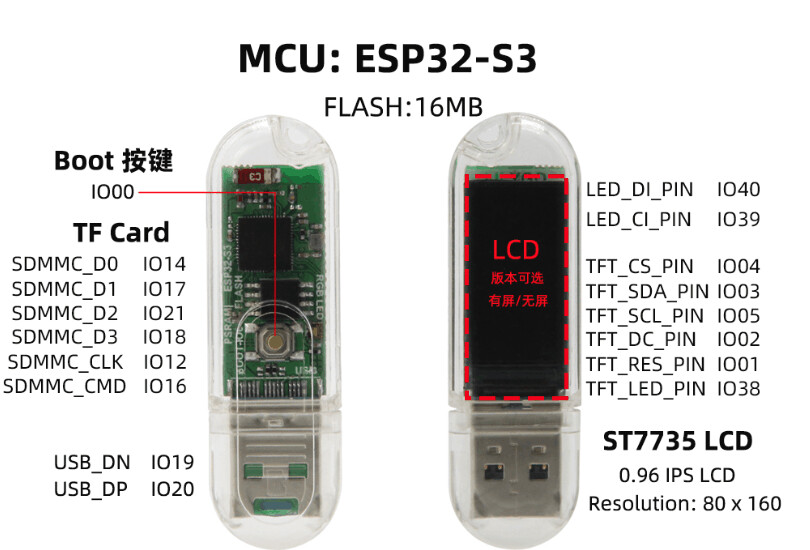
Did the procedure for safe bootloader and then uploaded again. In the console it says is a success, but then it comes as always, black lit screen (image below)
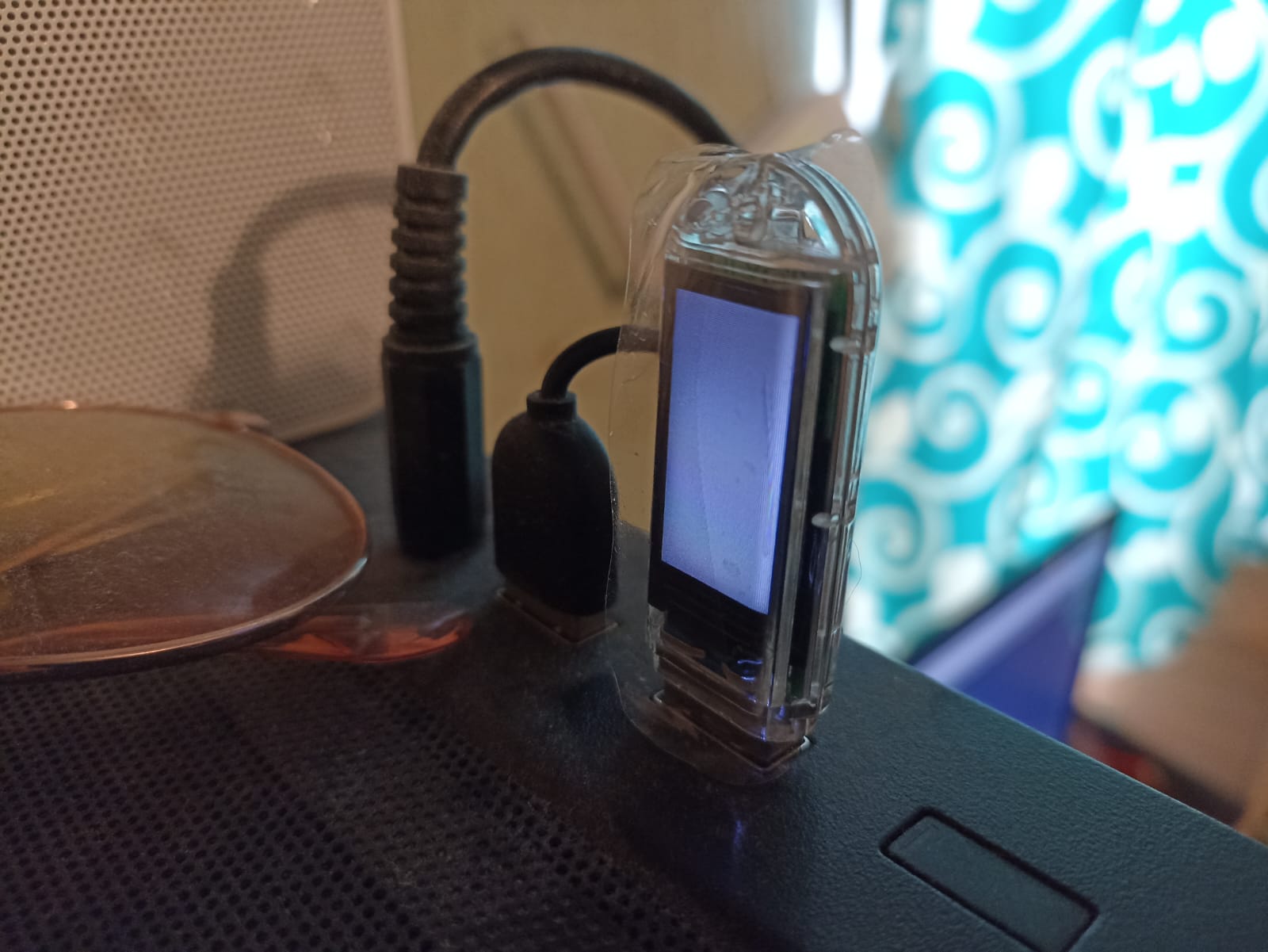
And by the way, as I mentioned before, if I run the bat file for the factory firmware in windows, it works fine and the screen shows again the lilygo logo.
So what’s the serial output now with the crashing sketch? It should have decoded the backtrace to tell you at which function it crashed.
No, according with the terminal, it was a success, this is what I get
Writing at 0x0005b42b… (84 %)
Writing at 0x0006486f… (92 %)
Writing at 0x0006bbc4… (100 %)
Wrote 392560 bytes (207724 compressed) at 0x00010000 in 3.3 seconds (effective 943.7 kbit/s)…
Hash of data verified.
Leaving…
Hard resetting via RTS pin…
====================================== [SUCCESS] Took 8.82 seconds ======================================
- Terminal will be reused by tasks, press any key to close it.
That’s the log of the upload, I mean the serial monitor logs after you upload the last firmware that crashed.
Thank you so much for the attention to this topic!
I dont’ know what you mean with the serial monitor logs, where should I click or what should I do to check that?
This starts to look harder than quantum physics, thought was simpler. Is there a simpler way to just show simple text on the little screen?
Did you try uploading the sketch with the Arduino IDE? Might be easier for you.
I will try, but anyway, it is weird that nothing but the factory firmware works (I installed it again) could it be a faulty stick?
maybe you see this on your VS this panel PIO

And icon plug start monitor console, normal developer first clik here.
Second icon is upload arrow to right. Thats all folks
It’s definitely weird that the Lillgo provided PlatformIO project doesn’t build and work out of the box, but crashes instead. But we can only get to the bottom of that crash when there’s a decoded backtrace in the serial monitor (project tasks → Monitor) visible. That pins down the function and path which crashed.
Alternatively as posted above, try the Arduino IDE.