What hardware do you use? What exact version of the CH340 does it use?
CH340G
What do you want to use the serial device for? Uploading firmware? Output from device?
I want to upload Tasmota firmware to a Tuya TYWE3S module that contains an Espressif 8266. Espressif supplies a tool (esptool.py) to do the upload. At this point, I’m trying only a few simple read commands to try to get anything at all from the device, and getting nothing at all. The simple commands include reading the chip id, reading the mac address, reading the flash id. None work. I can occasionally see the Rx light on the USB serial device flash a few times, but have yet to get any readable bytes. Dropping all the way down to screen rather than using the tool is also getting me nothing - screen exits as soon as I apply power to the Tuya module.
What action results in the message “Device not configured”? Where and how is this message shown?
Pretty much all commands try for a while, then end with that message. It shows up on the command line in the output from esptool.py. The message says it’s coming from serial.py.
Have you configured the device path for the serial device somewhere (e.g. in platformio.ini)? If so, what’s the exact path?
No, it’s used as a command-line argument. The path is /dev/cu.usbserial-1460. The number changes depending on which USB port I’m using, I’ve tried a few both direct and via an attached hub. No apparent differences. The attached hub can supply more power to the USB port than my laptop, which is why I tried it for a few attempts. No differences in the result.
What does ls -l /dev/cu.* show?
crw-rw-rw- 1 root wheel 0x16000005 Mar 27 10:00 /dev/cu.BLTH
crw-rw-rw- 1 root wheel 0x16000009 Mar 27 08:16 /dev/cu.Bluetooth-Incoming-Port
crw-rw-rw- 1 root wheel 0x16000007 Mar 27 08:16 /dev/cu.Headphones
crw-rw-rw- 1 root wheel 0x16000003 Mar 27 08:15 /dev/cu.URT1
crw-rw-rw- 1 root wheel 0x16000001 Mar 27 08:15 /dev/cu.URT2
crw-rw-rw- 1 root wheel 0x1600000b Mar 27 10:00 /dev/cu.usbserial-1460
If I unplug the serial device, all remain the same except the usbserial device disappears. No surprise there.
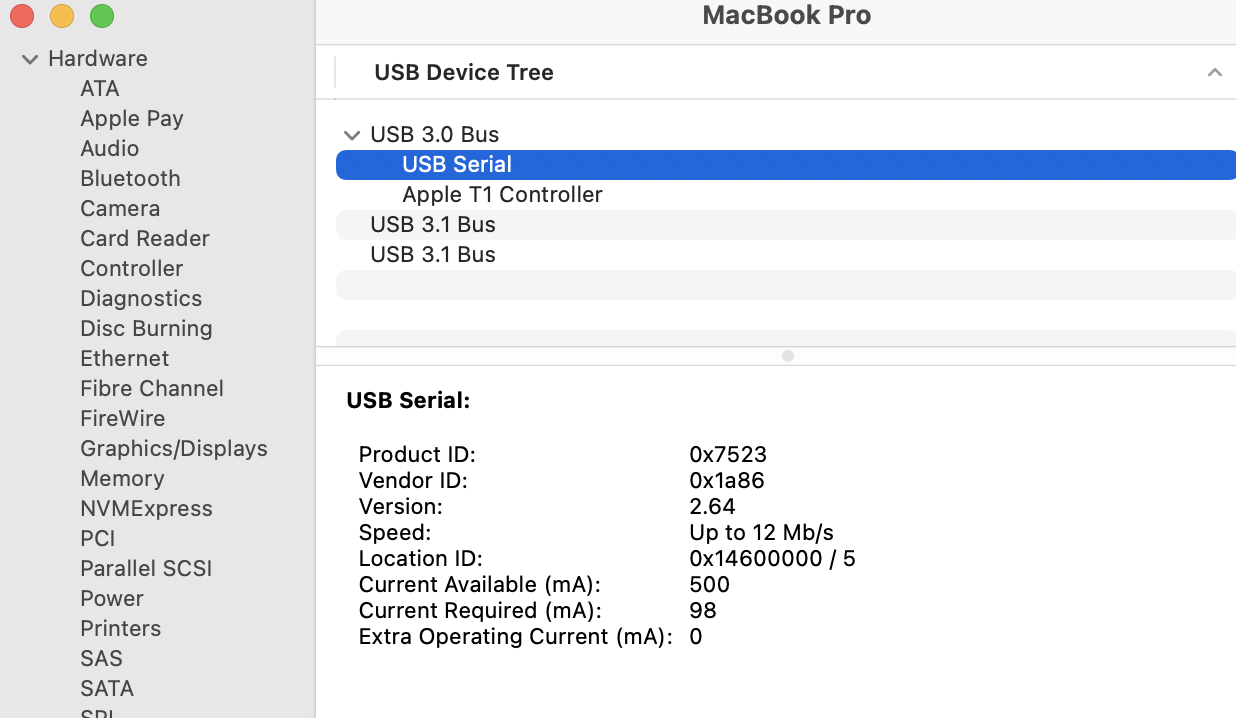
Can you provide a screenshot of the USB section of the System Information application in macOS (click on Hardware / USB)?
USB Serial:
Product ID: 0x7523
Vendor ID: 0x1a86
Version: 2.64
Speed: Up to 12 Mb/s
Location ID: 0x14600000 / 5
Current Available (mA): 500
Current Required (mA): 98
Extra Operating Current (mA): 0