I actually would not recommend to use TinyUSB for that, because you have to do quite a bit of work to parse the keyboard HID packet structure.
See the examples:
- https://github.com/hathach/tinyusb/tree/master/examples/host/hid_controller
- https://github.com/hathach/tinyusb/tree/master/examples/host/cdc_msc_hid
I found this library instead:
This is building on top of the official ESP-IDF library from Espressif: “USB Host HID (Human Interface Device) Driver” (docs, repo). They have an example
That is compilable for an ESP32-S3 and can detect connected keyboards and mice.
I compiled this sketch in PlatformIO with the latest Arduino-ESP32 3.3.1 core thanks to the PIO Arduino platform onto my ESP32-S3-DevkitC-N16R8 board.
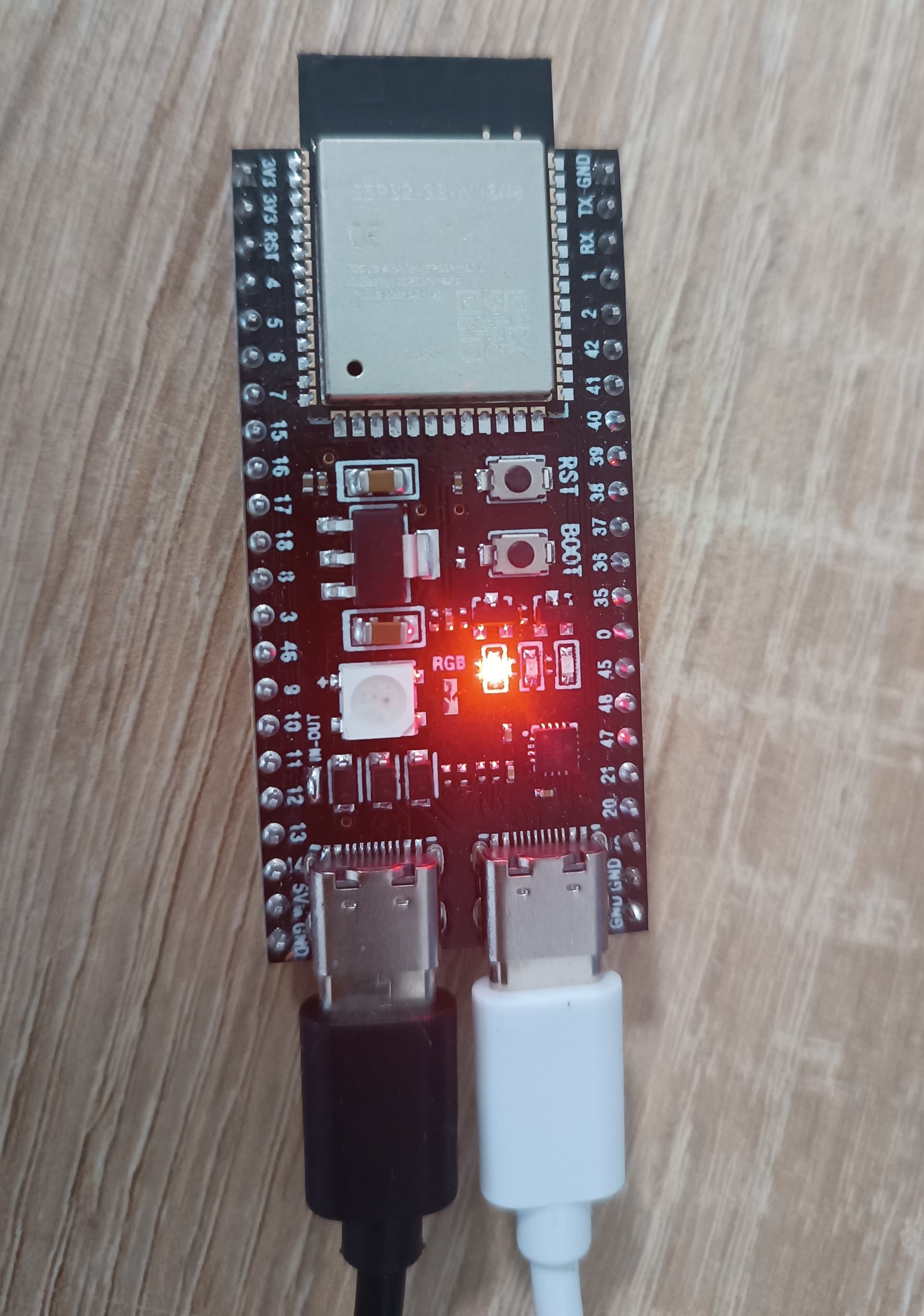
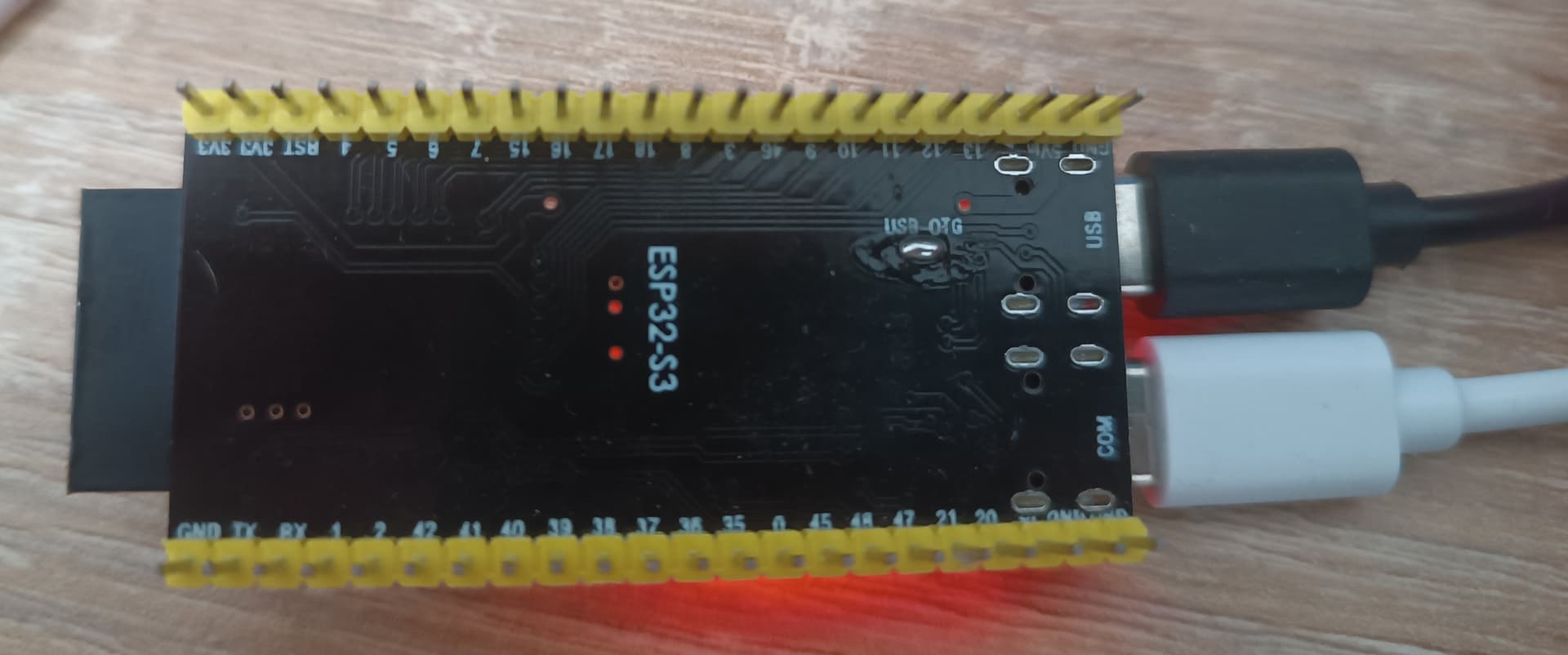
This board conveniently has 2 USB-C ports, one going to a USB-to-UART chip and then to the UART port of the ESP32S3 (labeled “COM”), and one going straight to the native ESP32S3 USB pins (labeled “USB”). I found its schematics here.
On my board specifically, I had to connect a solder pad with solder so that the “USB” port provides +5V to the connected keyboard.
That pad was labeled “USB-OTG” and bypasses a diode to allow the 5V rail (as provided from the “COM” USB-C port) to be directly connected to the “USB” USB-C port, powering the keyboard.
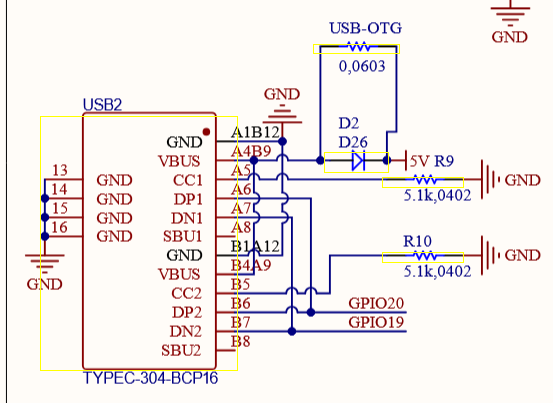
This also makes it that you absolutely cannot plug both the “USB” and “COM” port into the computer at the same time, since they would be backfeeding each other. You would need to remove the solder link to be able to use the ESP32S3 board in USB device mode again.
While I was at it, I also soldered the solder jumper pad for “IN-OUT”
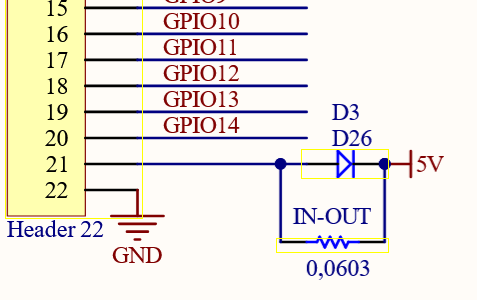
This makes the pin labeled “5V” on the header of the board actually output 5V directly, and not only accept 5V as input to the power the board. This is also useful of you don’t want to solder the “USB-OTG” jumper so you can grab the needed 5V from that pin and somehow (with USB breakout boards) put it on the USB-A conncetor to power your USB device.
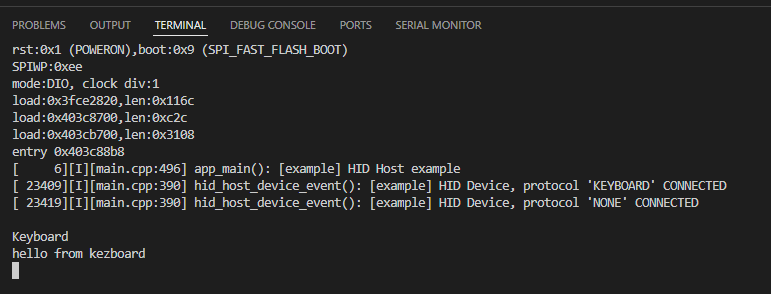
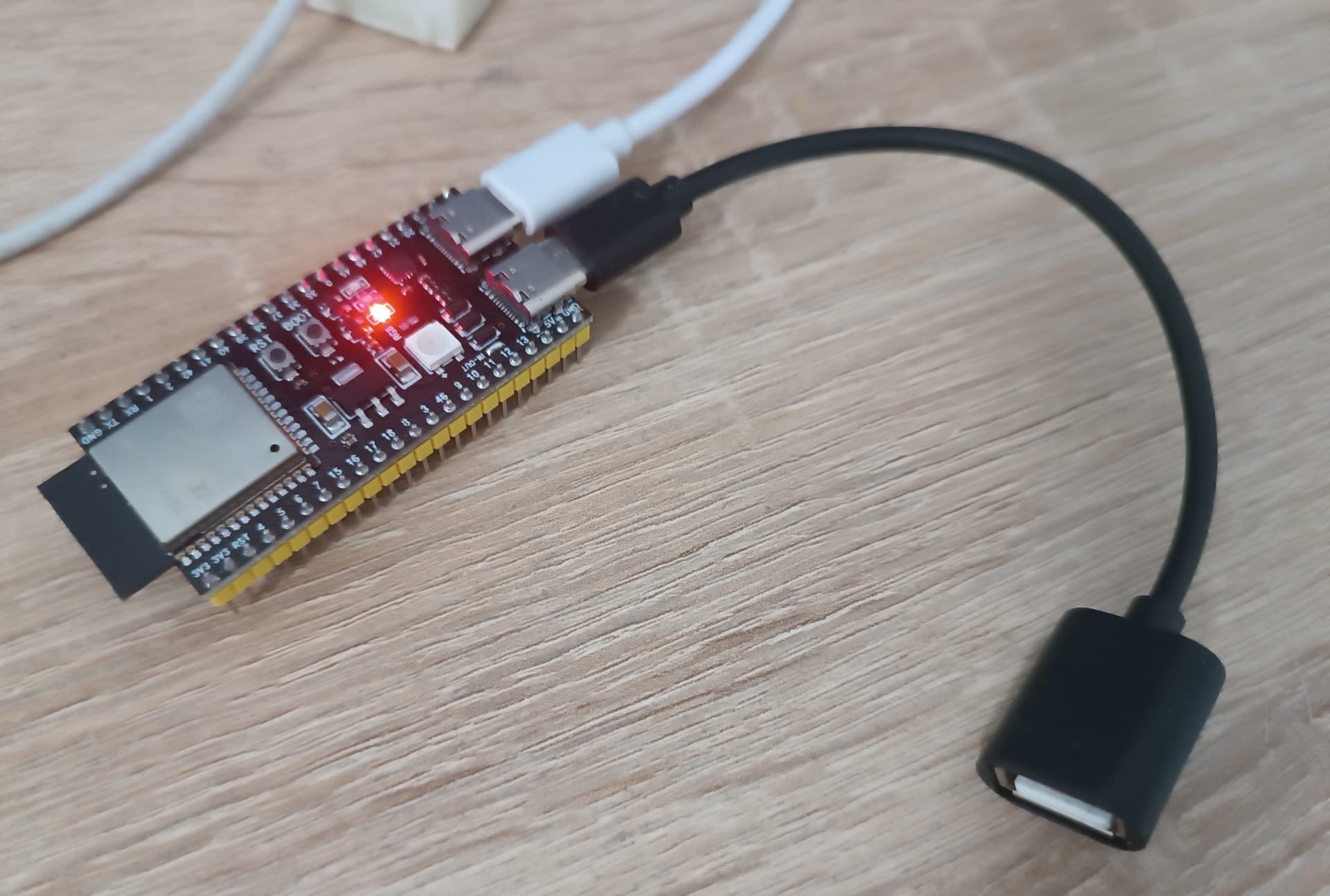
Then, I connected a USB-C to USB-A OTG adapter to the “USB” USB-C port and plugged my (german) keyboard in. It detected the keyboard successfully and everything I typed on the keyboard showed up in the serial monitor (which assumed a US QWERTY layout..)
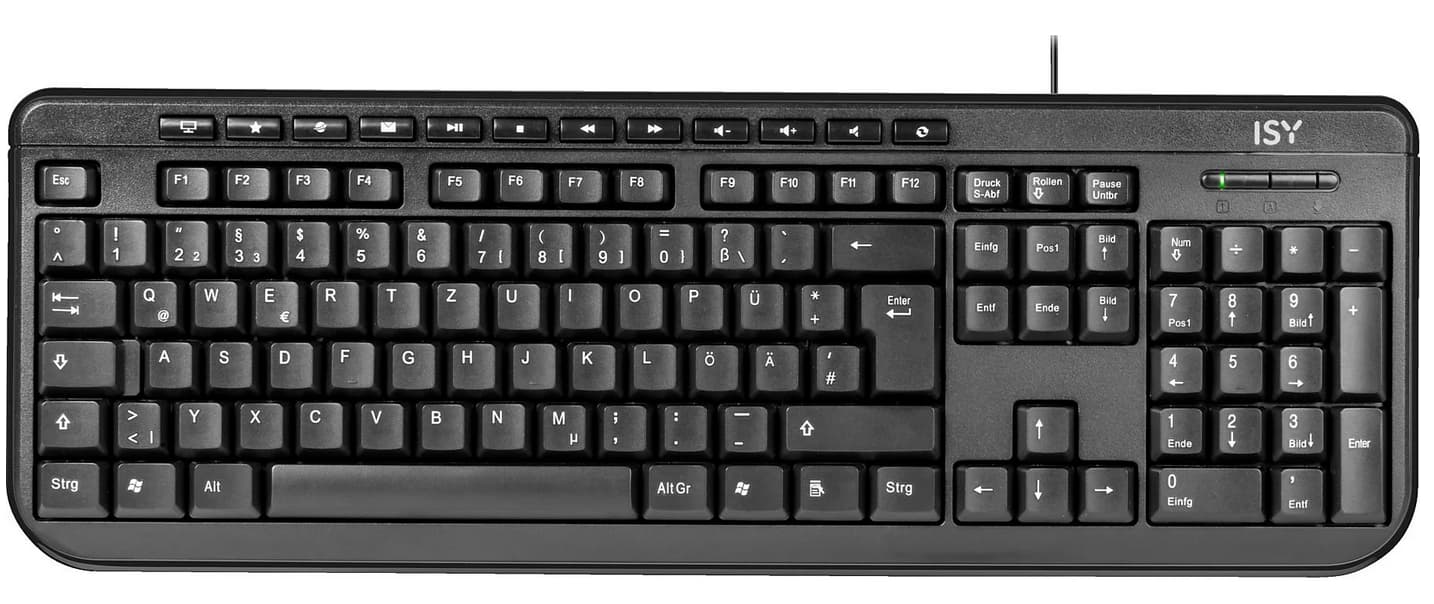
Tested keyboard: ISY IKE 1000